HOME & SECURITY · 10 MIN READ
OBSBOT Review 2026: Best AI Cameras, Webcams & PTZ Cameras for Creators
Aug 11, 2026 · 8.5K views
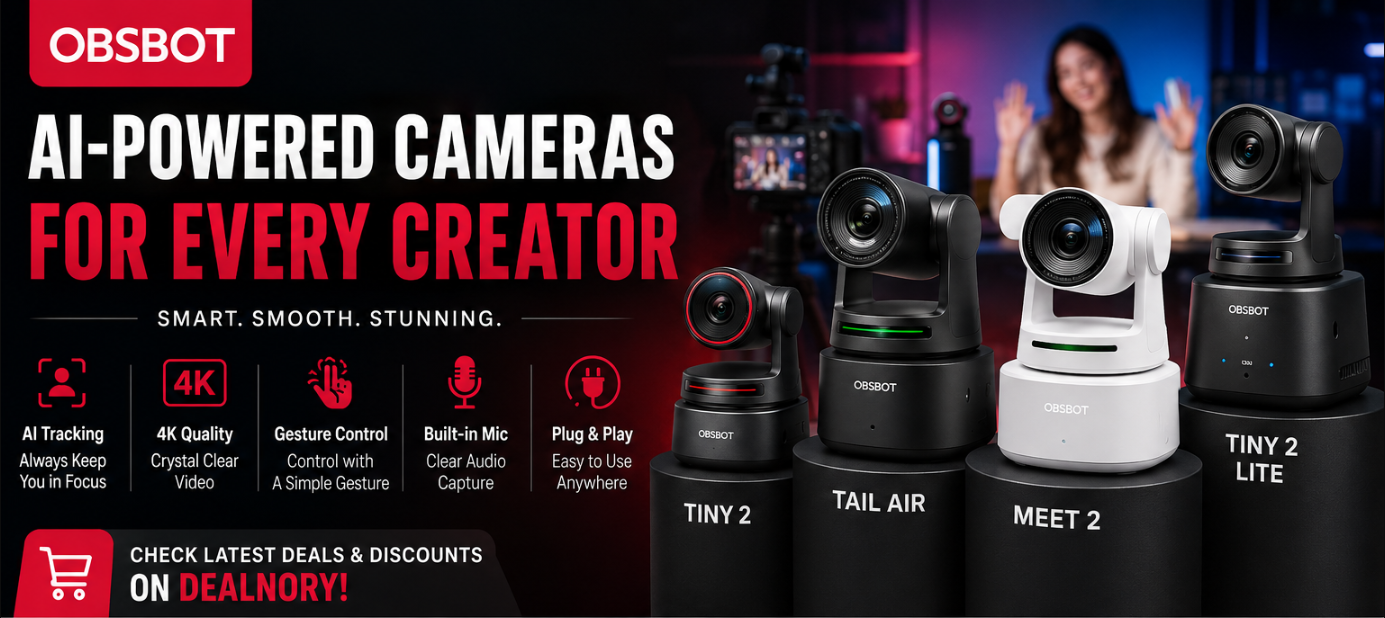
A traditional webcam may provide a decent image, but it often lacks intelligent tracking, automatic framing, advanced autofocus, and flexible camera movement.
This is where OBSBOT stands out.
OBSBOT specializes in AI-powered cameras and webcams designed for creators, remote professionals, livestreamers, educators, podcasters, and anyone who wants more flexibility from their camera setup.
Its product lineup includes AI PTZ webcams, 4K webcams, livestreaming cameras, and professional video solutions.
Among the best-known models are the OBSBOT Tiny series, Meet series, and Tail series.
And in 2026, the brand has expanded its lineup further with the OBSBOT Tiny 3 and Tiny 3 Lite, introducing a new generation of compact AI-powered 4K PTZ webcams with a stronger focus on audio as well as video.
So, is OBSBOT worth considering?
Let's take a closer look.

What Is OBSBOT?
OBSBOT is a camera technology brand focused on intelligent imaging and AI-powered video products.
Instead of simply producing conventional webcams, OBSBOT focuses heavily on features such as:
- AI subject tracking
- Auto framing
- Auto zoom
- PTZ movement
- Gesture control
- Voice control
- 4K video
- Advanced autofocus
- HDR imaging
- Streaming features
These technologies are especially useful for people who frequently move around while recording or livestreaming.
For example, instead of manually adjusting the camera every time you move, an AI tracking camera can automatically keep you within the frame.
Why Are OBSBOT Cameras Different?
The biggest difference between OBSBOT and a basic webcam is intelligence.
A conventional webcam generally stays fixed.
If you move away from the center of the frame, you may quickly leave the camera's ideal composition.
An OBSBOT AI camera can use tracking technology to follow the subject and adjust framing automatically.
This can be useful for:
- YouTube videos
- Livestreams
- Online classes
- Zoom meetings
- Presentations
- Fitness instruction
- Tutorials
- Product demonstrations
- Podcasts
- Content creation
For creators who don't want to constantly adjust their camera manually, this can make the recording process much easier.
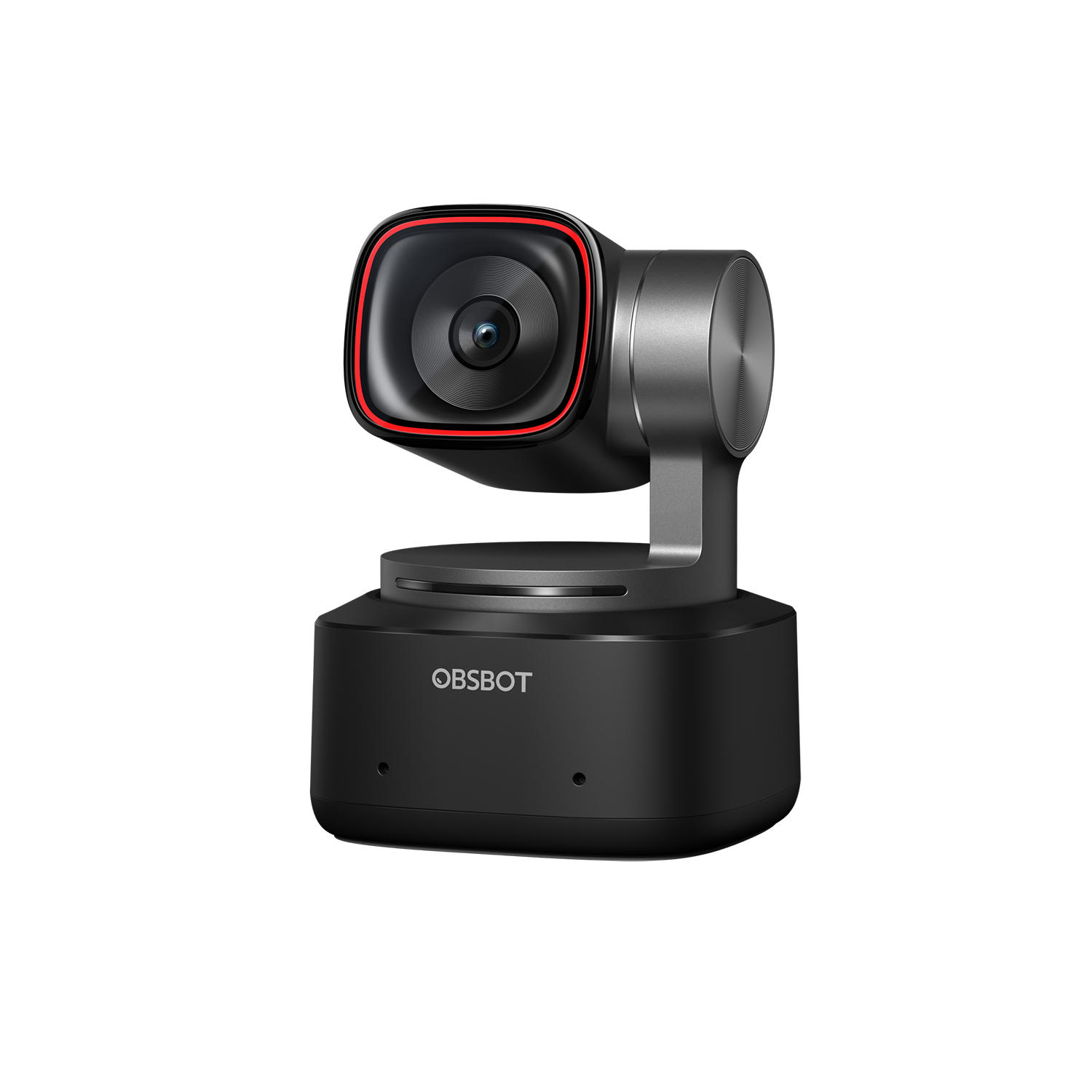
OBSBOT Tiny 2
The OBSBOT Tiny 2 remains one of the most interesting cameras in the brand's lineup.
The camera combines a 1/1.5-inch CMOS sensor with 4K video and AI tracking. OBSBOT also lists features including AI tracking with auto zoom, dynamic gesture control, voice control, and faster autofocus.
Key Features
- 4K video
- 1/1.5-inch CMOS sensor
- AI tracking
- Auto zoom
- Dynamic gesture control
- Voice control
- Fast autofocus
- HDR capabilities
- Beauty mode
- Privacy mode
One of its most useful features is the ability to automatically adjust zoom while tracking a subject.
That means you can move around without constantly worrying about whether you'll remain properly framed.
OBSBOT Tiny 2 for Content Creators
For YouTubers and creators, camera movement can be a major problem.
Imagine recording a tutorial while standing at a desk.
You might move:
Left → Center → Right → Back toward the desk
A traditional webcam won't react.
Tiny 2 can use AI tracking to follow the subject and maintain framing.
This makes it particularly interesting for:
- Tutorials
- Cooking videos
- Fitness videos
- Online teaching
- Product demonstrations
- DIY videos
- Presentation videos
The camera can therefore function as more than just a webcam.
![Buy OBSBOT Tiny 3 AI-Powered 4K PTZ Webcam [Official]](https://resource-cdn.obsbothk.com/product_system_back/product_img/tiny_3_lite_de3894389b92.png)
OBSBOT Tiny 3
The OBSBOT Tiny 3 is one of the newer additions to the lineup.
OBSBOT launched the Tiny 3 series globally in January 2026, positioning it as a new generation of AI-powered 4K PTZ webcams.
One of the biggest changes is the stronger focus on audio.
OBSBOT describes the Tiny 3 series as combining:
- 4K imaging
- AI intelligence
- Spatial audio
- Compact aluminum-alloy construction
- Advanced tracking
- OBSBOT ecosystem integration
This makes the Tiny 3 particularly interesting for people who want a more complete all-in-one setup.
Instead of buying a webcam and then immediately adding an external microphone, a camera with improved onboard audio can simplify the setup.
OBSBOT Tiny 3 Lite
The Tiny 3 Lite is positioned as the more accessible member of the new Tiny 3 generation.
It is designed for users who want the core benefits of an AI-powered PTZ webcam without necessarily needing every premium feature of the flagship model.
This makes it worth considering for:
- Remote workers
- Students
- Streamers
- Casual creators
- Online teachers
- Video conferencing
For someone upgrading from a basic laptop webcam, an AI-powered camera can represent a significant improvement in both framing and flexibility.
![Buy OBSBOT Meet 2 AI-Powered 4K Webcam [Official]](https://resource-cdn.obsbothk.com/product_system_back/product_img/017a0e6a9cfa4c079e56.png)
OBSBOT Meet Series
The OBSBOT Meet family is another important part of the brand's webcam lineup.
Unlike the PTZ-oriented Tiny series, Meet cameras are designed around the traditional webcam format.
They're especially relevant for:
- Business meetings
- Remote work
- Online classes
- Video conferencing
- Streaming
- Content creation
The OBSBOT ecosystem currently supports the Meet series alongside Tiny and Tail products through OBSBOT Center software.
If you don't need a camera that physically pans and tilts, a Meet camera may be a simpler choice.
![Buy OBSBOT Tiny 3 Lite AI-Powered 4K PTZ Webcam [Official]](https://resource-cdn.obsbothk.com/product_system_back/product_img/02_3x_808647429e38.jpg)
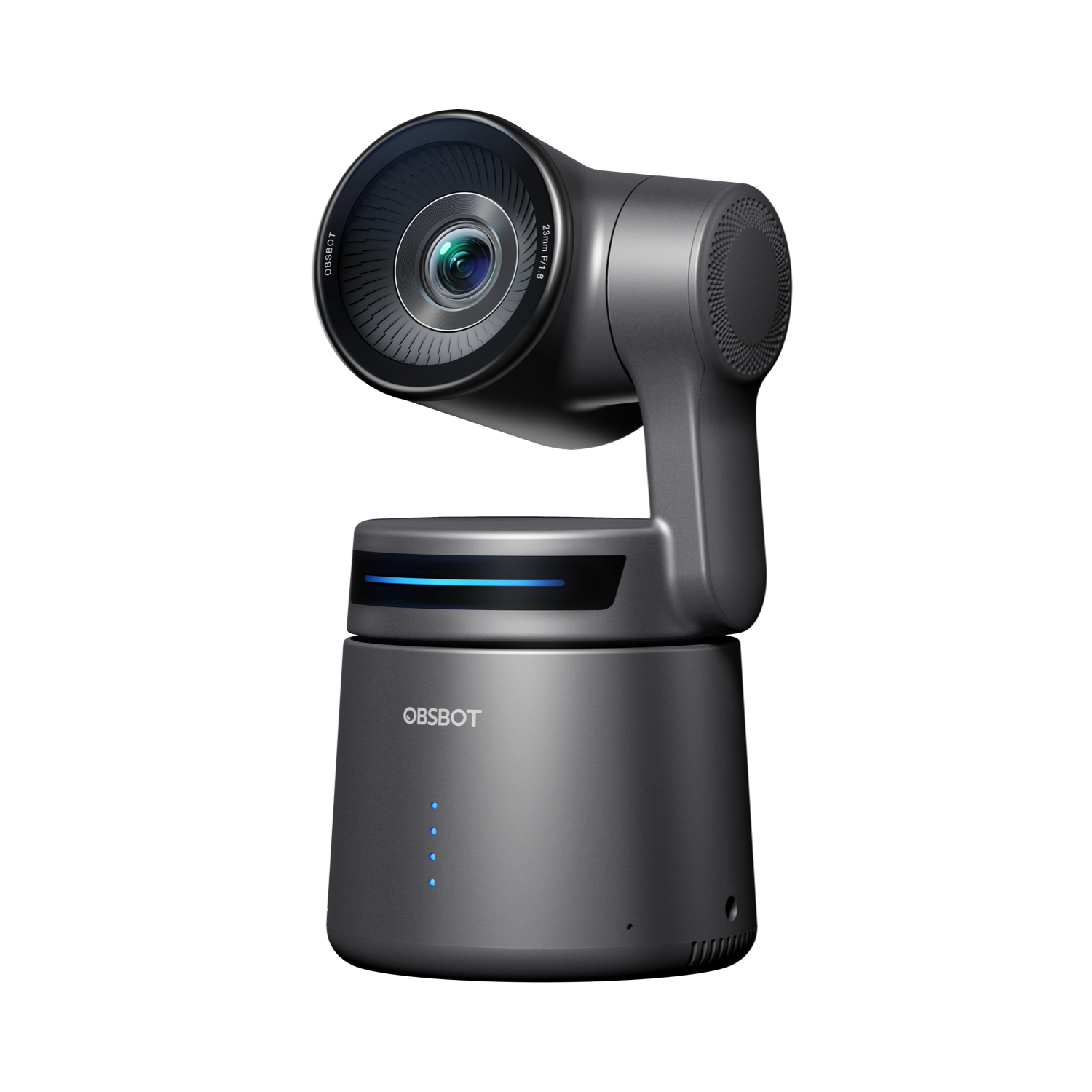
OBSBOT Tail Air
If you're looking for something beyond a conventional webcam, the OBSBOT Tail Air is much more interesting.
Tail Air is an AI-powered 4K PTZ streaming camera designed for more advanced streaming and video production applications.
It supports video output through Micro HDMI, including:
- 4K at 30fps
- 1080p at 60fps
This allows it to connect to monitors, TVs, computers, encoders, and other production equipment.
That makes Tail Air more appropriate for users who want a dedicated streaming camera rather than simply a webcam for video calls.
OBSBOT for Livestreaming
Livestreaming is one of the areas where OBSBOT's AI technology becomes particularly useful.
During a livestream, creators often need to:
- Move around
- Demonstrate products
- Talk to viewers
- Show different parts of a room
- Switch between different positions
Manually adjusting a camera can interrupt the flow of a livestream.
AI tracking allows the camera to automatically follow the subject.
This is particularly useful for:
YouTube Live
Keep yourself centered while speaking to viewers.
Product Demonstrations
Move around a desk while showing products.
Fitness Streaming
Move through different exercises without leaving the camera frame.
Online Teaching
Walk around while explaining a lesson.
Podcasts
Keep speakers properly framed during conversations.
OBSBOT for Video Conferences
You don't have to be a professional creator to benefit from an OBSBOT camera.
Remote workers can use AI webcams for:
- Zoom
- Microsoft Teams
- Google Meet
- Online presentations
- Virtual interviews
- Remote training
A high-quality camera can make a noticeable difference compared with the built-in webcam found on many laptops.
Features such as autofocus, automatic framing, and improved image quality are especially useful when lighting conditions aren't perfect.
OBSBOT AI Tracking
AI tracking is arguably one of OBSBOT's biggest advantages.
Instead of relying entirely on software running on your computer, compatible OBSBOT cameras use intelligent tracking technology to follow the subject.
The Tiny 2, for example, combines AI tracking with automatic zoom adjustment.
This creates a much more dynamic recording experience.
For example:
You move closer → camera adjusts
You move sideways → camera follows
You move farther away → framing adjusts
That makes the camera feel much more like having a virtual camera operator.
OBSBOT Gesture Control
Another convenient feature available on compatible models is gesture control.
Instead of reaching for a keyboard or remote control, certain camera functions can be triggered through predefined gestures.
This is especially useful while:
- Recording alone
- Teaching
- Streaming
- Demonstrating products
- Giving presentations
You can remain in front of the camera instead of constantly moving back to the computer.
OBSBOT Voice Control
Some OBSBOT cameras also support voice control.
Tiny 2, for example, supports voice commands as part of its feature set.
This can be useful when your hands are occupied.
For creators who record themselves without an assistant, voice control can make camera operation considerably easier.
OBSBOT 4K Video Quality
Resolution is another major factor when choosing a camera.
OBSBOT offers several cameras capable of 4K recording.
The Tiny 2 uses a 1/1.5-inch CMOS sensor and supports 4K video, while OBSBOT positions the camera as a major upgrade in image quality compared with standard webcams.
4K can be useful for:
- YouTube videos
- Product demonstrations
- Professional presentations
- Cropping footage
- Livestream production
- Detailed tutorials
A higher-resolution source also gives creators more flexibility when editing.
OBSBOT Cameras for Photographers & Creators
OBSBOT can also be useful for photographers and other creative professionals.
For example, a photographer might use an AI camera for:
- Online workshops
- Photoshop tutorials
- Lightroom tutorials
- Client meetings
- Portfolio presentations
- Behind-the-scenes videos
- Live editing sessions
Because the camera can automatically track the presenter, the creator can concentrate on the content rather than operating the camera.
OBSBOT Cameras for Online Teachers
Online education is another strong use case.
Teachers can move around while:
- Writing on a whiteboard
- Demonstrating equipment
- Explaining diagrams
- Showing products
- Teaching practical skills
An AI PTZ camera can follow the instructor and keep the presentation visually engaging.
This can be especially useful for instructors who don't want to sit directly in front of their computer for the entire lesson.
OBSBOT vs Traditional Webcam
So, how does OBSBOT compare with an ordinary webcam?
Traditional Webcam
- Fixed position
- Limited movement
- Basic autofocus
- Often limited framing
- Usually designed for video calls
OBSBOT AI Camera
- AI tracking
- Automatic framing
- PTZ movement on compatible models
- 4K options
- Gesture control
- Voice control
- More advanced image processing
If you only need a camera for occasional video calls, a basic webcam may be enough.
But if you're creating content regularly, OBSBOT becomes much more interesting.
Which OBSBOT Camera Should You Choose?
The best model depends on your use case.
For Professional Video Calls
Consider the OBSBOT Meet series.
For AI Tracking
Look at the Tiny series.
For 4K AI Webcam Performance
The Tiny 2 is an interesting option.
For Newer AI Webcam Technology
Consider the Tiny 3 series.
For Livestreaming & PTZ Production
The Tail Air is more suitable.
For Content Creators
Tiny 2 and Tiny 3 are particularly compelling.
OBSBOT Pros
🎥 Excellent AI Features
Automatic tracking and framing make recording easier.
🔍 4K Options
Several models are designed for high-resolution video.
🤖 AI Tracking
Useful for creators who move around while recording.
🎙️ Advanced Audio Features
The newer Tiny 3 generation puts greater emphasis on audio performance.
🎮 PTZ Functionality
Compatible models can physically move and adjust framing.
🖐️ Gesture Control
Useful when recording without an assistant.
🗣️ Voice Control
Allows certain camera functions to be controlled hands-free.
Things to Consider Before Buying
OBSBOT cameras offer many advanced features, but you should still consider your actual needs.
Before purchasing, compare:
- Resolution
- Sensor size
- Frame rates
- AI tracking
- Auto framing
- Zoom capability
- Microphone quality
- PTZ movement
- Connectivity
- Software compatibility
- Streaming requirements
- Mounting options
- Price
If you simply need a webcam for occasional meetings, buying a premium PTZ camera may be unnecessary.
But if you create videos frequently, the additional flexibility can be worth it.
Is OBSBOT Worth It?
For creators, streamers, remote professionals, educators, and users who want advanced camera automation, OBSBOT is definitely a brand worth considering.
The combination of AI tracking, automatic framing, 4K video, PTZ movement, gesture control, and voice control makes the company's cameras significantly more capable than a basic webcam.
The newer Tiny 3 generation also shows that OBSBOT is moving beyond simply improving image quality and toward creating a more complete audio + video + AI experience.
The right model ultimately depends on your workflow.
If you want a compact AI webcam, look at the Tiny range.
If you need a more conventional webcam for meetings, consider the Meet range.
And if you're building a more serious streaming setup, Tail Air is worth investigating.
Final Verdict
OBSBOT has built a strong position in the AI camera market by focusing on something that ordinary webcams often lack: intelligent camera operation.
Instead of constantly adjusting your camera, OBSBOT's AI technology can help keep you in frame automatically.
For creators, this can make recording more efficient.
For remote workers, it can improve video meetings.
For teachers, it can make presentations more dynamic.
And for livestreamers, PTZ functionality and AI tracking can reduce the amount of manual camera operation required.
Among the lineup, Tiny 2 remains an attractive 4K AI webcam, while the newer Tiny 3 series brings an even stronger focus on integrated audio and AI-powered video.
🔥 Find OBSBOT Deals on Dealnory
If you're looking for an OBSBOT webcam or AI camera, don't forget to compare the latest available offers before purchasing.
You can check current OBSBOT deals, coupons, promotions, and discounts on Dealnory:
OBSBOT Deals & Coupons on Dealnory
Whether you're looking for the Tiny 2, Tiny 3, Tiny 3 Lite, Meet series, or Tail Air, checking available offers first can help you find a better price.
Prices, product availability, promotions, shipping, warranty, and product configurations may change. Always check the latest terms before purchasing.