ELECTRONICS & TECHNOLOGY · 6 MIN READ
EINSTAR Review: Scanner Workflow & Total Cost
Nov 04, 2026 · 19K views
In this article
- EINSTAR review: choose the output before the scanner
- Understand the different product formats
- Computer requirements can change the budget
- Resolution, speed and usable results
- Surface preparation and tracking
- A mesh is a stage in the workflow
- Software and accessories affect total cost
- Warranty and regional terms
- Returns are not an unrestricted project trial
- EINSTAR review: the verdict
EINSTAR review: compare scanner formats, computer needs, mesh workflows, software costs and purchase terms before choosing a tool for your next 3D project.
A convincing scan demonstration can hide much of the work between a physical object and a useful digital result. Capturing surfaces is one step; preparing the object, aligning passes, repairing a mesh and moving it into your intended software can be equally important. EINSTAR deserves evaluation as part of that complete workflow.
This review examines published product information and shopping terms checked on November 4, 2026. We have not operated these scanners or independently measured accuracy, speed or tracking. Dealnory may earn a commission through our links at no extra cost to you. Check current EINSTAR coupons and offers after defining your project requirements.
EINSTAR review: choose the output before the scanner
Start by describing the result you need: a visual asset, a printable mesh, a reference surface for modelling or a measured comparison. Those goals require different evidence. A model that looks convincing on screen does not establish dimensional suitability for a fitted part.
Identify the object's approximate dimensions, surface appearance, accessible sides and important details. Decide how much missing geometry or manual cleanup would be acceptable. This gives a demonstration a purpose: it should show a route to your output, not merely an attractive rotating object.
If you scan only a few objects each year, compare owning the equipment with hiring a service or using an available workshop. A purchase makes more sense when repeated access and control over the process justify the equipment, learning time and supporting software.
Understand the different product formats
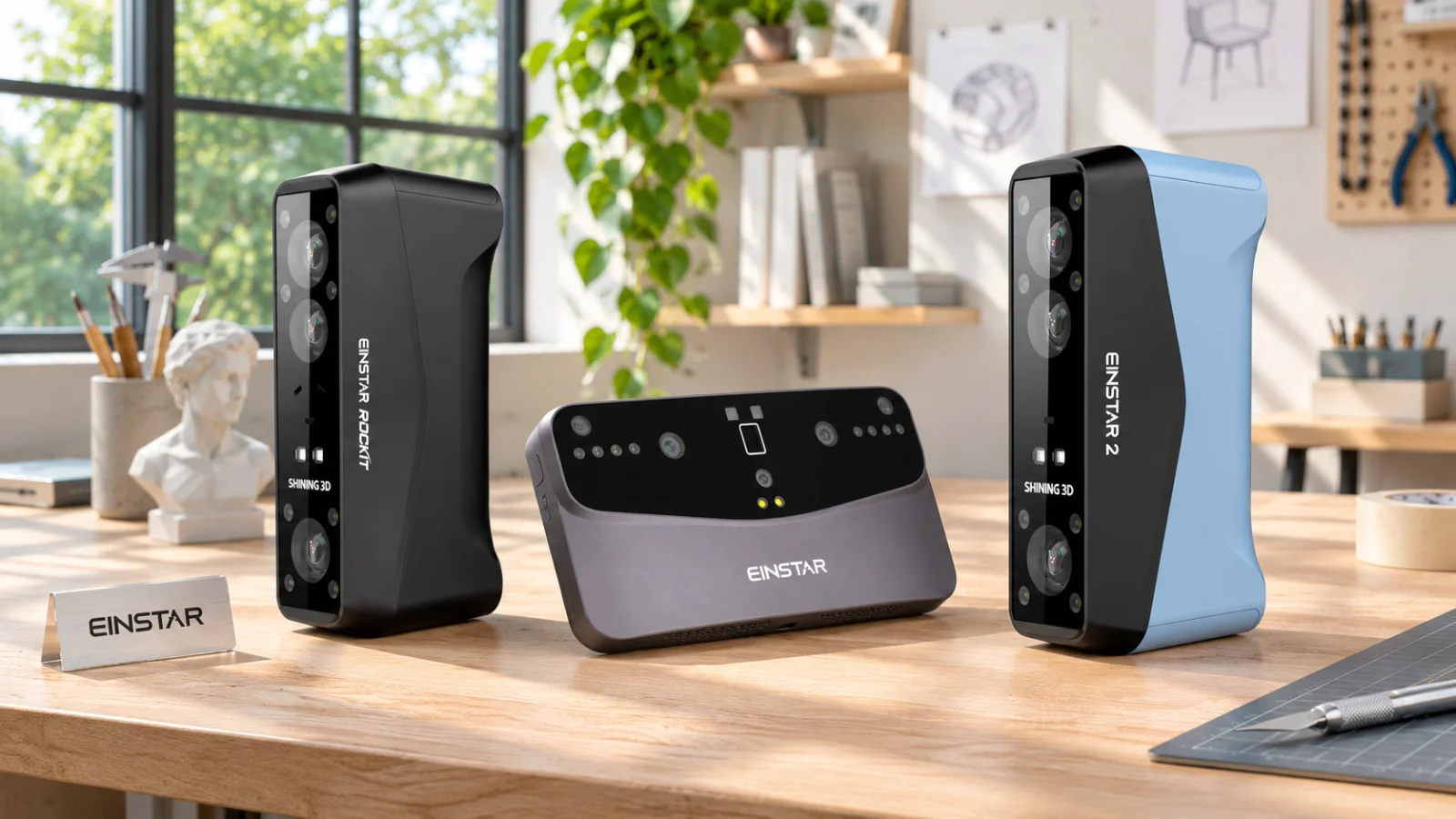
The official range includes handheld and standalone formats. Rockit lists Laser HD and IR Rapid modes with different specifications. VEGA is presented as an all-in-one scanner with mobile computing. EINSTAR 2 has its own computer requirements and should be evaluated as a separate model, rather than as a colour option for another scanner.
For a desk-based workflow, consider the machine and computer together. For work away from a desk, ask which stages can happen on the device and which still require another system. Wireless capture does not automatically mean every editing and export task is completed without a computer.
Confirm the exact bundle. Scanner-only, software and accessory combinations can have different practical value. Do not assume that a program shown in an example workflow is included with every purchase or licensed for your intended use.
Computer requirements can change the budget
The EINSTAR 2 listing gives separate Windows and Mac recommendations, including specific operating-system, memory and graphics requirements. Its Windows recommendation includes 32GB minimum memory and a specified NVIDIA laptop-GPU level. Check the live requirements for the exact software version and hardware you own before ordering.
Record the processor, graphics hardware, available memory, ports and free storage on your existing system. Ask support about that actual configuration rather than whether the software runs on a laptop in general. A familiar operating-system logo is not enough to establish suitability.
If a computer upgrade is necessary, add its cost to the comparison before applying a coupon. Also consider whether the system is portable enough for the objects you intend to capture. An otherwise appealing handheld scanner can become inconvenient if its supporting setup is awkward to move.
Resolution, speed and usable results
Specification tables can contain resolution ranges, point rates, working distances and scan-volume limits. Keep each number attached to its stated mode and conditions. A high maximum point rate does not tell you how long a complete project will take, including preparation and cleanup.
Ask for sample data of an object similar to yours. Inspect the detail that matters, the missing regions and the amount of post-processing described. A polished promotional model may be useful for visual assessment, but it should not be treated as a guarantee for every material and shape.
We have not tested dimensional accuracy or repeatability. For a project with a defined tolerance, establish a verification method and obtain model-specific evidence. Avoid turning a resolution number into a universal accuracy claim or assuming that a pleasing render establishes measurement quality.
Surface preparation and tracking
Describe reflective, transparent, dark or repetitive surfaces when requesting advice or a demonstration. Ask whether your object needs markers, surface treatment or another preparation step in the chosen mode. Establish that before buying consumables or altering an object.
The store offers marker and accessory categories, but their presence does not prove that every item is required for your project. Ask what is necessary, what is optional and what is already included. Where preparation is unsuitable for a valuable or delicate object, explain that constraint at the outset.
Consider access around the object and the ability to turn it safely. A demonstration on a small object in an open room may not represent a large fixed item in a cramped location. Workspace limitations can matter as much as the advertised capture range.
A mesh is a stage in the workflow
EINSTAR 2 lists STL, OBJ, PLY, 3MF and ASC among its output formats. Confirm which format and data your next application needs. A format name alone does not guarantee that scale, colour, orientation and editing options arrive exactly as your project requires.
For a printing project, plan how you will inspect the result, address holes and confirm size before committing material. For design work, ask how the scanned geometry will be used as a modelling reference. Do not assume a scan automatically becomes a clean, editable engineering model.
Request a short end-to-end demonstration if the next software step is unfamiliar. Seeing a file exported and opened in your intended application is more useful than a generic promise of compatibility. Budget learning time for that transition, as well as for moving the scanner.
Software and accessories affect total cost
The store lists separate software and accessory products. Confirm the licence duration, included functions, update terms and intended-use restrictions for any selected software. A free scanning application and a bundled modelling licence should be examined separately.
Make a complete basket that includes only necessary items: scanner, suitable computer, required software and appropriate preparation or calibration accessories. Check what is supplied in the box before adding duplicates. Include a practical storage and transport arrangement if the scanner will travel.
For illustration, a hypothetical $1,000 scanner with a ten-percent discount saves $100. If a necessary computer upgrade costs $600, the useful project budget is still much larger than the scanner's discounted price. These are example figures, not current EINSTAR prices or a required upgrade quote.
Warranty and regional terms
The published warranty describes a one-year standard plan, with paid extension options and exclusions. Embedded-software updates are distinguished from separate third-party application licences. Return authorisation is required for service, and applicable customs, duties or taxes can remain the customer's responsibility.
Read the version for your actual purchase channel. Regional policy pages can describe replacement charges differently, so obtain a written answer for the selected model and destination where that affects your decision. Keep the invoice and serial number with the equipment record.
We have not tested support or submitted a warranty claim. Published coverage is useful for planning, but it does not establish turnaround time for a particular repair. Ask where a unit would be serviced and what costs remain outside the quoted plan.
Returns are not an unrestricted project trial
The US policy checked describes 14 business days from receipt, unused condition, original packaging and proof of purchase. It excludes used or altered products and requires all accessories to be returned. Purchases through other retailers follow their respective policies.
Clarify the permitted inspection process before opening a project that depends on extended use. Ask support how a demonstration, evaluation or sample-data request can resolve uncertainty before purchase. Do not assume the return banner authorises unrestricted scanning followed by a change-of-mind refund.
Preserve the packaging and record the delivered contents. If there is an apparent problem, contact support promptly with the model details and clear evidence rather than improvising a repair. Follow the authorised process and retain the instructions.
EINSTAR review: the verdict
EINSTAR is worth comparing when a specific scanner fits your objects, computer setup and next software step. The strongest buying decision follows a representative workflow demonstration and a complete budget. Neither a headline point rate nor a discounted bundle settles those questions alone.
Review current EINSTAR offer conditions on Dealnory. If the selected model and purchase terms fit, browse EINSTAR through our affiliate link.