In this article
- JADENS review: start with the job you need done
- Compare the product categories
- 268BT: a concrete shipping-label reference
- App, driver and file workflow
- Ink-free printing still has consumable costs
- Print quality: verify the actual task
- Returns: the sale-item exclusion matters
- Warranty and support expectations
- Verdict: suitable when compatibility is confirmed
JADENS review: compare label printers, device setup, paper costs and return conditions before choosing thermal printers for home offices or small business.
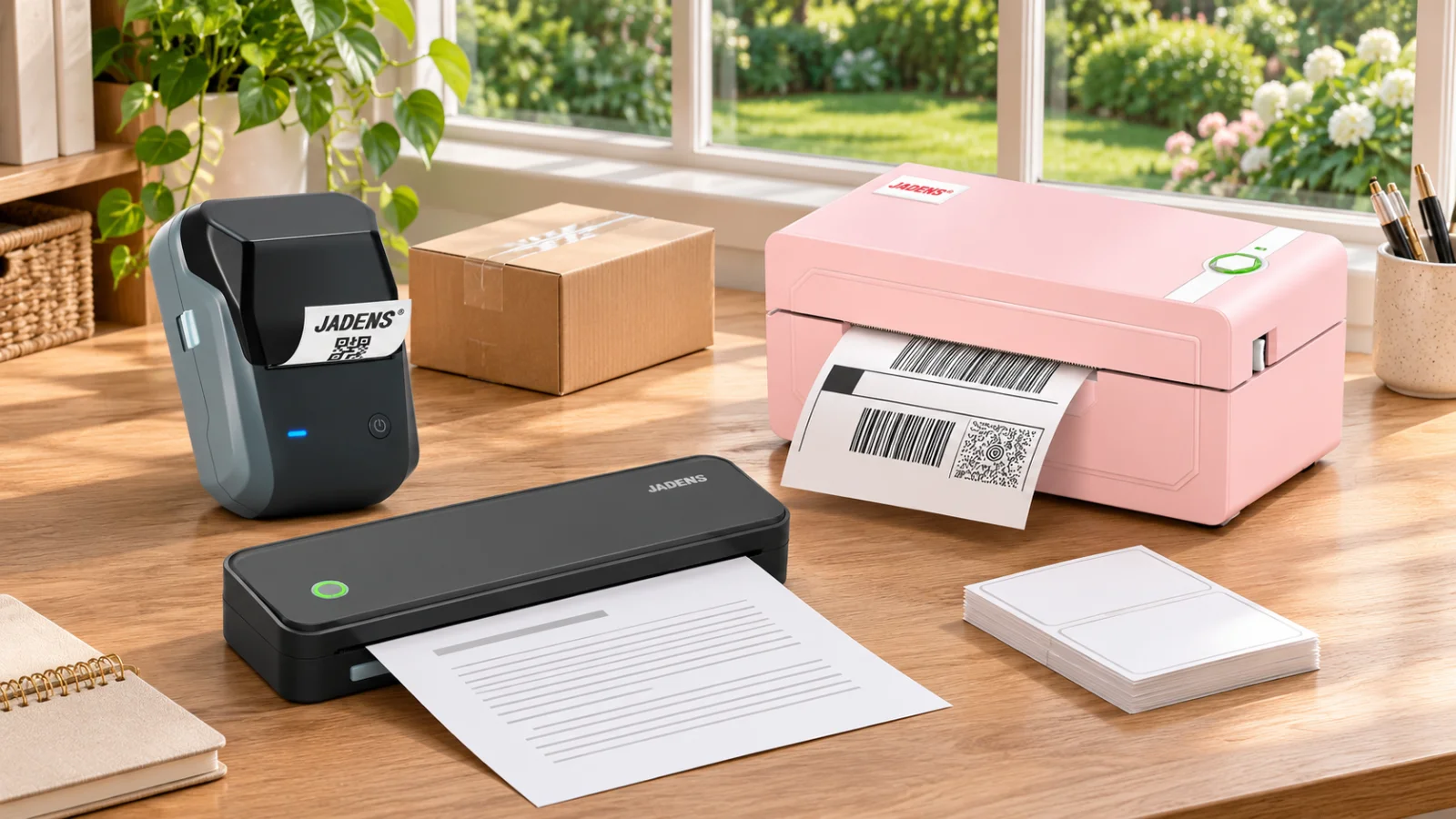
JADENS sells several kinds of thermal printer, from shipping-label machines to portable document printers and compact label makers. That variety is useful, but it makes a brand-level recommendation incomplete. A printer that handles parcels may not serve a full-page document workflow, and a small organizer label maker is not a substitute for a shipping station. This review evaluates official product information and policies checked in November 2026. We have not performed hands-on print, speed, barcode-scan or long-term reliability tests. The cover is an AI-assisted range illustration based on actual official product images.
Affiliate disclosure: Dealnory may receive a commission from purchases made through our affiliate link. Check JADENS offers on Dealnory, then browse JADENS through our affiliate link to confirm the exact model, paper bundle and checkout terms.
JADENS review: start with the job you need done
The strongest reason to shortlist JADENS is a defined thermal-printing task. For someone shipping orders regularly, a dedicated label printer can make the packing desk more convenient. For someone labeling storage boxes, a small label maker may be a better fit. Buyers who only print occasionally should compare the cost and setup effort with their current routine before adding another device.
A useful first step is to save three files you actually expect to print. Include your usual shipping label, a more awkward layout and any document that is essential to your work. Identify the required paper dimensions, whether color is needed and how the files reach the printer. This turns a broad shopping decision into a compatibility check with specific evidence.
Compare the product categories
| Category | Likely use | Check first |
|---|---|---|
| Shipping-label printer | Parcel labels and suitable business labels | Actual label size, operating system and file workflow |
| Portable A4 printer | Full-page documents while away from a conventional desk | Required paper type, page size and output expectations |
| Small label maker | Organization, short product labels or storage identification | Maximum print width and compatible consumables |
| Network-oriented model | A shared shipping workspace | Supported connection method for every team device |
The official catalogue includes 268BT shipping-label printers, PD-A4 portable printers and B1 label makers, among other models. Those three categories appear in the cover to show the range, not to imply identical features. A name that includes Bluetooth or Wi-Fi should still be checked against the particular computer, phone and software you will use.
268BT: a concrete shipping-label reference
The 268BT listing describes monochrome thermal printing, Bluetooth and USB connections, roll or fanfold media, and label widths from 40 to 108mm. It advertises a maximum speed of 150mm per second and 50 test labels. These are seller specifications, not measurements from our own testing. The page also advertises a 30-day return guarantee and one-year warranty, which need to be read alongside the separate policies below.
The listing discusses several operating systems and different app or driver routes. Do not interpret that as a promise that every computer prints wirelessly in the same way. Ask support to confirm the route for your exact operating-system version and processor type. If your workflow depends on a particular desktop application, establish how its exported label reaches the printer before buying.
App, driver and file workflow
Write the process down from order to parcel: download the label, open the file, choose the page size, send it to the printer and attach it to the package. The weak point may be the software handoff rather than the print mechanism. A marketplace appearing in a compatibility list does not necessarily mean the printer purchases postage or connects directly to your seller account.
Check whether you will use a mobile app, desktop driver, browser extension or another documented method for the selected model. Ask whether the software supports your usual file format and whether a particular feature requires a login. Download software through the manufacturer's documented support route. Keep the setup instructions with the machine so another person can reproduce the process when the original operator is unavailable.
For a shared workspace, identify how users submit jobs and how they know which label belongs to which parcel. One person's convenient phone workflow may not suit a team working from several computers. Compare a network-oriented product only after checking supported devices and the actual network arrangement. The cheapest unit is not always the cheapest workflow if it repeatedly interrupts packing.
Ink-free printing still has consumable costs
A thermal printer removes ink or toner purchases from its particular printing process, but labels and suitable paper still cost money. Compare the price per usable label, delivery charges, pack quantity and storage needs. A large inexpensive pack is poor value if its size or construction does not match the selected printer. Confirm the required width and any roll or holder constraints.
For an illustrative cost comparison, a hypothetical $20 pack of 500 usable labels costs four cents per label before shipping and tax. This is a calculation method, not a current JADENS price. Add likely wasted labels during setup and any holder or accessory needed for the desk. Compare equivalent paper quantities when evaluating a printer-only deal against a starter bundle.
Do not assume that paper sold for one JADENS category works in every other category. Small label-maker supplies, shipping labels and full-page thermal paper solve different jobs. If you want to use another supplier's media, confirm both technical suitability and warranty implications instead of relying only on a similar-looking roll.
Print quality: verify the actual task
Check the first output against the original file. Look for clipped information, incorrect scaling, margins and whether essential details remain legible. For shipping work, use the carrier's specified format and assess the label in the real packing process. A clear photograph of one sample does not prove every barcode or layout will perform correctly.
Avoid treating thermal output as a universal replacement for every document printer. If your task requires color, photographic presentation or a particular retention standard, establish those requirements separately. Ask about the appropriate media and storage guidance. We have not measured fading, water exposure, adhesive strength or scan success, so those outcomes are not part of this review's verdict.
Returns: the sale-item exclusion matters
The refund policy requests contact within 30 days of receipt and also says items must be returned within that period. Obtain authorization promptly rather than waiting until the final day. It requires unused condition, original packaging and proof of purchase, and excludes sale items and gift cards. Because product pages can show discounts alongside a return guarantee, ask support whether your selected promotional order is eligible before paying.
For a buyer's change of mind or ordering mistake, the policy places freight costs on the buyer and states no restocking fee. Keep tracking and follow the supplied return instructions. A shipping label being provided does not necessarily mean every return is free. Do not use the corporate contact address as a return destination without authorization. Clarify whether any setup or trial you intend to perform affects eligibility.
Warranty and support expectations
The warranty describes one year of coverage for manufacturing defects for original purchasers through the official site or authorized sellers, counted from purchase or delivery, whichever is later. It excludes normal wear, misuse and damage resulting from non-JADENS third-party labels, among other limitations. It separately states a print-head exclusion beyond 35 kilometers of printing. Ask support to clarify that wording if your business expects heavy volume.
Keep your purchase record and details of the problem. The process calls for support diagnosis and supporting information; covered remedies can include repair or replacement rather than an automatic refund. A warranty claim and an ordinary change-of-mind return follow different conditions. Build those differences into the purchase decision if downtime would interrupt daily dispatch.
Verdict: suitable when compatibility is confirmed
JADENS merits a shortlist for buyers who can match a specific model to a clear printing task and verify the complete app, computer and paper workflow. The practical advantages are reduced dependence on ink and a range of formats; the main buying risks are choosing the wrong category, assuming universal wireless behavior and overlooking return exclusions. Compare the complete basket through JADENS on Dealnory and confirm final details using our JADENS affiliate shopping link.