TECH & GADGETS · 10 MIN READ
Gweike Cloud Review: Is This CO₂ Laser Cutter Worth It in 2026?
Aug 13, 2026 · 6.6K views
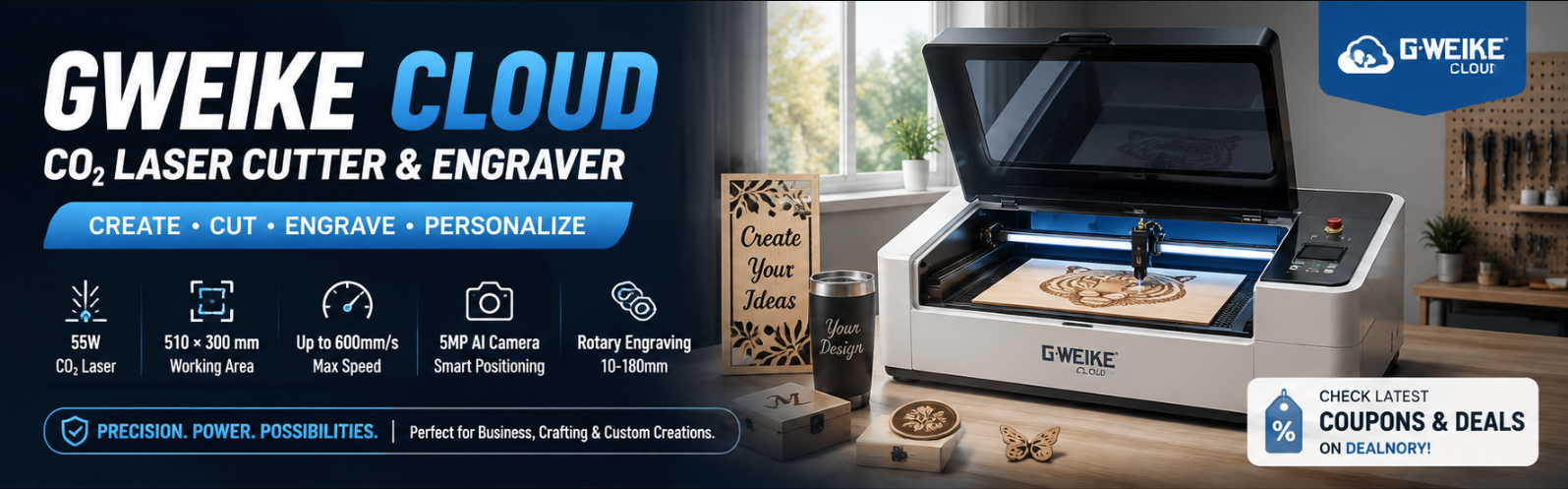
If you're looking for a powerful desktop laser cutter and engraver for woodworking, acrylic, engraving, crafting, or small-business production, Gweike Cloud is a name worth considering.
Unlike many entry-level diode laser engravers, Gweike Cloud has built its reputation around CO₂ laser technology, which makes it suitable for a wider range of cutting and engraving applications.
From desktop CO₂ laser cutters to newer fiber laser and multi-function machines, Gweike Cloud now offers solutions for hobbyists, creators, workshops, and businesses.
In this guide, we'll take a closer look at what Gweike Cloud offers, how its laser machines work, what you can make with them, and whether a Gweike Cloud laser cutter could be a good fit for you.
Dealnory Tip: Before purchasing, check the latest Gweike Cloud coupons, deals, and offers on Dealnory to see whether there are any available savings.
What Is Gweike Cloud?
Gweike Cloud is a laser cutting and engraving brand offering machines designed for both creative projects and professional applications.
Its product lineup has expanded beyond traditional desktop CO₂ machines and now includes fiber laser engravers, diode/fiber laser systems, CNC laser cutters, and multi-function machines.
The current lineup includes products such as:
-
Gweike Cloud CO₂ Laser Cutter & Engraver
-
Gweike Cloud PRO II
-
Gweike Cloud RF
-
Gweike G2
-
Gweike G3
-
Gweike M Series
-
Gweike MCore
The company's official documentation also provides software, tutorials, user manuals, and setup resources for different machine models.
This means Gweike Cloud isn't simply selling a laser machine — it has developed an ecosystem around laser cutting, engraving, software, and different production workflows.
Gweike Cloud CO₂ Laser Cutter: What Can It Do?
One of the best-known machines in the lineup is the Gweike Cloud CO₂ laser cutter and engraver.
The current Pro II model is listed with a 55W CO₂ glass laser tube, a working area of approximately 510 × 300 mm, and a maximum carving speed of up to 600 mm/s.
It is designed for both cutting and engraving, making it more versatile than a machine designed purely for engraving.
Key specifications
| Feature | Gweike Cloud Pro II |
|---|---|
| Laser type | CO₂ glass laser tube |
| Laser power | 55W |
| Working area | 510 × 300 mm |
| Maximum carving speed | Up to 600 mm/s |
| Engraving precision | Up to 0.025 mm |
| Rotary engraving | Supported |
| Camera | 5MP AI camera |
| Operating system | Windows / macOS |
Specifications can vary between models, so it's important to check the individual product page before purchasing.
Why Choose a CO₂ Laser Instead of a Diode Laser?
This is one of the most important questions to ask before purchasing a laser machine.
Different laser technologies are designed for different applications.
A CO₂ laser can be particularly attractive for creators who want to work with materials such as:
-
Wood
-
Acrylic
-
Paper
-
Cardboard
-
Leather
-
Certain plastics
-
Glass engraving
-
Other compatible non-metal materials
The main appeal is that CO₂ laser technology is well suited to both cutting and engraving, making it useful for creators who want more than surface-level marking.
If your primary goal is engraving wood or creating simple hobby projects, a diode laser may be enough.
However, if you want to create products involving acrylic cutting, deeper cuts, or more demanding materials, a CO₂ machine can be a more suitable option.
Gweike Cloud Rotary Engraving
Another useful feature is rotary engraving.
The Gweike Cloud Pro II supports a rotary device designed for engraving cylindrical objects. The listed rotary engraving diameter is 10–180 mm with risers, with a maximum engraving length of up to 245 mm.
This opens up additional product ideas beyond flat materials.
For example, creators can potentially work with compatible:
-
Tumblers
-
Bottles
-
Cylindrical objects
-
Decorative pieces
-
Personalized gifts
For small businesses, this can be particularly useful because personalized products can be sold at a higher value than generic crafts.
AI Camera and Automatic Positioning
The Gweike Cloud Pro II also includes an AI camera system.
According to the official specifications, the machine uses a 5MP high-resolution ultra-wide camera and supports AI-based visual positioning and material recognition.
This can make positioning artwork on a material more convenient.
Instead of manually estimating where a design should be placed, the camera can help identify the work area and position designs more accurately.
This can be useful when you're engraving:
-
Existing objects
-
Irregularly positioned materials
-
Pre-cut blanks
-
Personalized products
-
Multiple items in a production workflow
3D Engraving Capabilities
Gweike Cloud also promotes 3D engraving capabilities.
Its CO₂ machine can work with spherical, curved, tilted, and varying-height surfaces, allowing users to create 3D engraving effects on compatible materials such as wood and acrylic.
For creators, this can expand the range of projects beyond conventional flat engraving.
What Can You Make With a Gweike Cloud Laser?
One of the biggest advantages of owning a laser cutter is the variety of products you can create.
1. Personalized Gifts
Laser engraving is particularly popular for personalized products.
Examples include:
-
Name plaques
-
Wooden signs
-
Wedding gifts
-
Custom decorations
-
Keychains
-
Personalized boxes
2. Home Décor
You can also create decorative items such as:
-
Wall art
-
Wooden maps
-
Decorative signs
-
Layered artwork
-
Geometric designs
-
Custom ornaments
3. Wedding Products
Laser cutting can be especially useful for wedding businesses.
Potential products include:
-
Wedding invitations
-
Table numbers
-
Name tags
-
Seating charts
-
Cake toppers
-
Wedding signage
4. Small-Business Products
For entrepreneurs, the machine can become part of a small manufacturing workflow.
Instead of buying finished products wholesale, you can design and manufacture customized products yourself.
That gives you greater control over:
-
Product design
-
Customization
-
Production
-
Pricing
-
Branding
Gweike Cloud for Small Businesses
A laser cutter can be more than a hobby machine.
For small businesses, it can become a production tool for creating personalized products on demand.
For example, an Etsy-style business could sell customized:
Wooden signs → Wedding decorations → Personalized gifts → Home décor → Engraved accessories
The same machine can potentially be used across multiple product categories.
This is particularly interesting for entrepreneurs because customization can create a competitive advantage.
Instead of competing purely on price, businesses can compete through design and personalization.
Gweike Cloud vs. More Advanced Laser Systems
Gweike Cloud's lineup now extends considerably beyond its original desktop CO₂ machines.
For example, the company currently offers the Gweike M Series, combining different technologies and processing methods.
The M Series can integrate:
-
CNC cutting
-
Fiber laser cutting
-
Laser welding
-
Laser cleaning
-
CO₂ laser cutting
-
CO₂ laser engraving
Some models can switch between different processing modes by changing the appropriate laser head and adjusting parameters.
This makes the M Series substantially different from a typical desktop CO₂ engraver.
For someone starting a small craft business, a desktop CO₂ model may be more appropriate.
For a workshop that needs metal processing, welding, cleaning, and multiple laser applications, a multi-function machine may make more sense.
Gweike Cloud Software and LightBurn
Software is an important part of the laser-cutting experience.
Gweike Cloud provides software and documentation for its machines, and its documentation also lists LightBurn support for several models.
LightBurn is popular among laser users because it provides a dedicated environment for designing and controlling laser cutting and engraving jobs.
Depending on the machine, operating system, and controller, software compatibility can vary.
Therefore, before buying a particular Gweike Cloud machine, it's worth checking:
-
Which operating systems are supported?
-
Which software comes with the machine?
-
Is LightBurn supported?
-
Is a specific driver required?
-
Does the machine support the workflow you intend to use?
Gweike Cloud's documentation library is useful for checking these details before purchase.
Is Gweike Cloud Easy to Use?
For someone who has never used a laser cutter, there is definitely a learning curve.
You need to understand:
-
Laser power
-
Cutting speed
-
Focus
-
Material thickness
-
Air assist
-
Exhaust and ventilation
-
Software settings
-
Material testing
-
Safety procedures
The good news is that Gweike Cloud provides manuals and tutorials for its machines.
However, beginners shouldn't assume that a laser cutter is simply a plug-and-play household appliance.
Laser machines require appropriate setup, ventilation, material selection, and safe operating procedures.
Important Laser Safety Considerations
This is especially important when considering a CO₂ laser.
Gweike's own documentation warns that its laser equipment can cause severe injury and that users must follow the manufacturer's safety instructions.
Before using a laser cutter, make sure you understand:
-
Proper ventilation
-
Fire safety
-
Appropriate materials
-
Eye and skin safety
-
Electrical safety
-
Manufacturer operating procedures
-
Proper machine maintenance
Never experiment with unknown materials simply because they appear similar to materials you've successfully processed before.
Always consult the machine's documentation and material compatibility guidance.
Gweike Cloud Pros and Cons
Pros
CO₂ laser technology
Suitable for cutting and engraving a broad range of compatible non-metal materials.
Cutting + engraving
The machine isn't limited to simple surface engraving.
Rotary engraving
Useful for cylindrical and personalized products.
AI camera
Can make positioning and alignment more convenient.
Multiple product categories
You can use one machine for crafts, gifts, décor, signage, and other customized products.
Broader product ecosystem
Gweike now offers everything from desktop CO₂ machines to fiber laser and multi-function systems.
Cons
Higher investment than basic diode engravers
CO₂ laser machines can represent a significant investment.
Learning curve
Beginners need time to understand materials, settings, software, and workflow.
Safety requirements
Ventilation, fire prevention, and proper operation are essential.
Maintenance
Laser machines contain mechanical, optical, electrical, and cooling-related components that require appropriate maintenance.
Who Is Gweike Cloud Best For?
Gweike Cloud may be worth considering if you fall into one of these categories:
Hobbyists
If you enjoy making personalized crafts and DIY projects, a desktop CO₂ laser can provide considerably more capability than a basic engraving machine.
Etsy and Online Sellers
If you sell personalized products online, laser cutting and engraving can help you create unique products without relying entirely on wholesale suppliers.
Sign Makers
The ability to cut and engrave compatible materials makes the machine useful for custom signage and decorative products.
Wedding Businesses
Personalized wedding products can be an attractive niche for laser cutting businesses.
Small Workshops
Businesses that need more production capacity may benefit from moving beyond entry-level diode machines.
Professional Fabrication Businesses
For more advanced manufacturing needs, Gweike's fiber laser and multi-function systems may be more appropriate than its desktop CO₂ models.
Is Gweike Cloud Worth It?
The answer depends heavily on what you're planning to make.
If you only want to engrave simple designs onto wood occasionally, a less powerful machine could be sufficient.
But if you're looking for a machine that combines cutting, engraving, personalization, rotary applications, and a broader range of creative possibilities, Gweike Cloud is worth researching.
Its current product range also means you don't necessarily have to choose between only one type of laser.
The company offers desktop CO₂ machines for creators and smaller businesses, while its newer fiber and multi-function systems target more advanced applications.
Final Verdict: Should You Buy a Gweike Cloud Laser?
Gweike Cloud is an interesting option for creators who want to move beyond basic diode engraving and explore the possibilities of CO₂ laser cutting and engraving.
Its machines can be used for everything from personalized gifts and home décor to wedding products and small-business manufacturing.
The Pro II, for example, combines a 55W CO₂ laser with rotary engraving, an AI camera system, and support for Windows and macOS.
At the same time, Gweike's broader lineup now reaches into fiber laser engraving and multi-function CNC systems, making the brand relevant to a much wider range of users.
Before buying, compare the machine's laser type, power, working area, materials, software compatibility, ventilation requirements, warranty, and after-sales support against your actual projects.
And if you're ready to shop, don't forget to check:
👉 Gweike Cloud Coupons & Deals on Dealnory
You may find an available promotion that helps reduce the overall cost of your laser-cutting setup.
Frequently Asked Questions
Is Gweike Cloud a CO₂ laser?
Some Gweike Cloud machines use CO₂ laser technology. For example, the Gweike Cloud Pro II is listed with a 55W CO₂ glass laser tube.
Can Gweike Cloud cut wood?
Yes. Gweike Cloud's CO₂ machines are designed for cutting and engraving compatible materials including wood. The exact cutting thickness depends on the machine, material, and operating parameters.
Can Gweike Cloud engrave glass?
CO₂ laser systems can be suitable for engraving certain glass applications. Always follow the manufacturer's material guidance and test settings carefully.
Does Gweike Cloud support LightBurn?
LightBurn support varies by model. Gweike Cloud's documentation specifically lists LightBurn-related software and drivers for supported machines, so check the documentation for the exact model you're considering.
Is Gweike Cloud suitable for beginners?
It can be, particularly for users willing to learn the basics of laser cutting and engraving. However, beginners should take laser safety, ventilation, material compatibility, and machine setup seriously.
Where can I find Gweike Cloud coupons?
You can check the Gweike Cloud deals and coupon page on Dealnory for available promotions before purchasing.