SOFTWARE & SAAS · 4 MIN READ
AI Tool to Remove Flyaway Hair in Photoshop | Retouch4me Stray Hairs
Jun 04, 2026 · 13K views
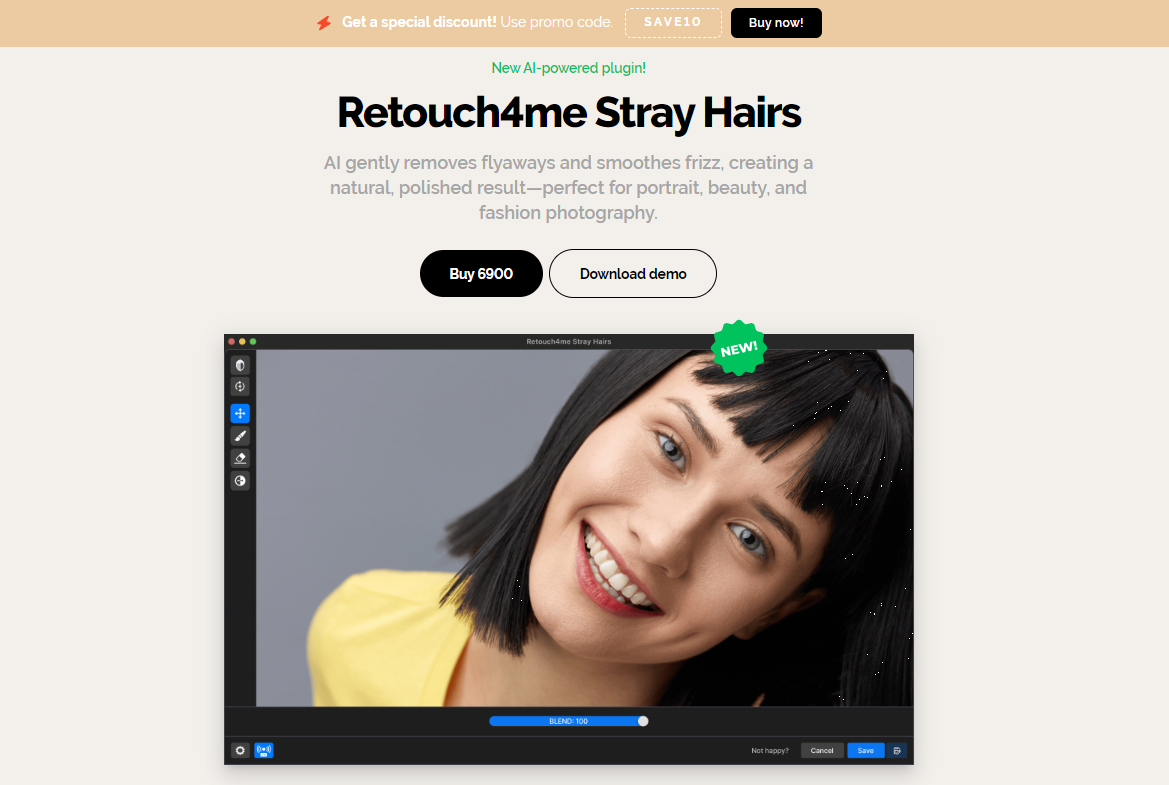
Retouch4me Stray Hairs Review 2026: The AI Plugin That Removes Flyaway Hair in Seconds
If you've ever retouched portraits professionally, you already know one painful truth:
Hair is beautiful during the photoshoot—but a nightmare during editing.
A few stray hairs crossing the face or sticking out from the hairstyle can turn a great portrait into hours of tedious Photoshop work. Zoom in, clone stamp, healing brush, repeat. Then do it again for the next image.
Now imagine removing those distracting hairs automatically with a single click.
That's exactly what Retouch4me Stray Hairs was created to do.
Designed specifically for portrait photographers, beauty retouchers, wedding photographers, and commercial editors, Retouch4me Stray Hairs uses artificial intelligence to detect and remove unwanted flyaway hair while preserving the natural texture and shape of the hairstyle.
Why Stray Hair Is One of the Most Time-Consuming Retouching Tasks
Even the most carefully planned photoshoots often end up with loose strands of hair.
Wind, movement, humidity, and natural hair texture make stray hairs almost impossible to avoid.
The problem becomes even worse when working with:
-
Beauty photography
-
Fashion editorials
-
Wedding photography
-
School portraits
-
Family sessions
-
Commercial headshots
According to Retouch4me, manually cleaning stray hairs can take up to 10–15 minutes per image, especially when multiple hairs cross the face or disrupt the hairstyle outline.
For photographers processing hundreds of images every week, that's a huge amount of time lost to repetitive editing.
Many professionals first discover the latest Retouch4me discounts and special offers while searching for ways to speed up their post-production workflow.
What Is Retouch4me Stray Hairs?
Retouch4me Stray Hairs is an AI-powered Photoshop plugin and standalone application designed specifically to remove unwanted hair strands from portraits.
Unlike traditional retouching methods that require manual brushing and cloning, the software analyzes the image automatically and identifies hairs that break the natural shape of the hairstyle.
The plugin focuses on three main tasks:
-
Removing flyaway hairs around hair edges
-
Cleaning hairs crossing the face
-
Refining hairstyle outlines
The result is a cleaner, more polished portrait without making the hair appear overly edited or artificial.
How the AI Works
One of the most impressive aspects of Retouch4me Stray Hairs is that it doesn't simply blur or erase parts of the image.
The neural network was trained using professionally retouched portraits and learned how expert retouchers identify distracting hair while preserving natural texture and volume.
When processing an image, the AI:
-
Detects stray hairs automatically
-
Evaluates surrounding texture
-
Removes distracting strands
-
Preserves natural hair structure
-
Maintains realistic hairstyle contours
This helps avoid the "plastic" look that often appears when inexperienced editors over-retouch hair manually.
If you'd like to see the software in action, you can explore the official Retouch4me Stray Hairs plugin and review before-and-after examples.
Why Photographers Love Retouch4me Stray Hairs
The biggest advantage isn't perfection.
It's speed.
Portrait photographers often spend countless hours performing repetitive cleanup tasks that add little creative value.
Retouch4me Stray Hairs automates one of the most tedious stages of editing while still allowing photographers to maintain full artistic control.
Key benefits include:
-
Faster editing workflows
-
Consistent results across image sets
-
Natural-looking hair cleanup
-
Batch processing support
-
Photoshop integration
-
Standalone application option
-
Non-destructive workflow
For high-volume photographers, the time savings can be substantial.
Perfect for Wedding and Portrait Photographers
The plugin is especially valuable for photographers who regularly process large galleries.
Wedding photographers, for example, often deliver hundreds or even thousands of images from a single event.
Manually cleaning flyaway hairs in every selected image would be impractical.
Retouch4me Stray Hairs can process entire batches automatically while maintaining consistent results across the shoot.
This makes it particularly useful for:
-
Wedding photographers
-
Portrait photographers
-
School photography studios
-
Beauty retouchers
-
Fashion photographers
-
Commercial photography teams
Photoshop Plugin or Standalone Application
Flexibility is another reason the software has gained popularity.
Retouch4me Stray Hairs can be used:
-
Directly inside Photoshop
-
As a standalone application
-
As part of the broader Retouch4me ecosystem
Inside Photoshop, the plugin creates separate layers, allowing retouchers to refine results further if necessary.
For photographers who prefer rapid workflows, the standalone version offers a quick solution without requiring Photoshop.
Does It Replace Manual Retouching?
Not entirely—and that's actually a good thing.
The goal of Retouch4me Stray Hairs isn't to replace professional retouchers.
Instead, it removes repetitive work so photographers can focus on more creative decisions.
The software handles most of the cleanup automatically, while still allowing users to manually refine specific areas when needed.
This balance between automation and control is one of the reasons many professionals consider it a valuable addition to their editing toolkit.
Is Retouch4me Stray Hairs Worth It?
If you frequently edit portraits, the answer is easy:
Probably yes.
Hair cleanup is one of the most repetitive and time-consuming parts of portrait retouching. Automating that process can save hours every week while maintaining professional-looking results.
For photographers who value efficiency without sacrificing image quality, Retouch4me Stray Hairs offers one of the most practical AI retouching solutions currently available.
Before purchasing, it's worth checking the latest Retouch4me coupons and discounts available on Dealnory.
You can also explore the full Retouch4me Stray Hairs AI plugin and see how it can transform your portrait retouching workflow.
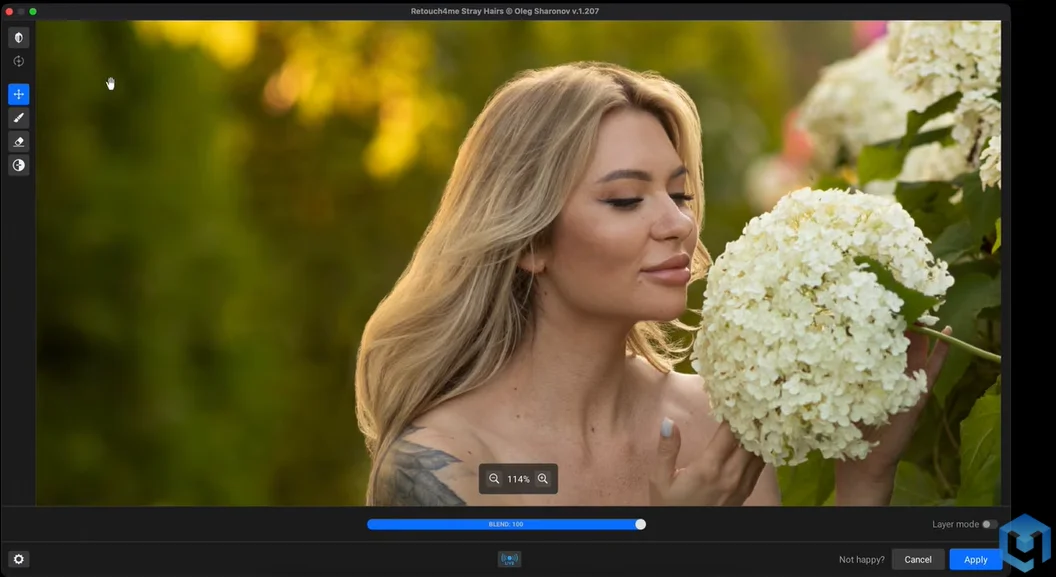
<After remove your hair>
Final Thoughts
The future of retouching isn't about replacing photographers.
It's about eliminating repetitive tasks so creatives can spend more time focusing on what truly matters.
Retouch4me Stray Hairs does exactly that.
By automatically removing flyaway hairs, preserving natural texture, and dramatically reducing editing time, it helps photographers achieve cleaner portraits with less effort.
For anyone who regularly edits portraits, weddings, beauty work, or fashion photography, this AI-powered plugin may quickly become one of the most valuable tools in your post-production workflow.