SOFTWARE & SAAS · 12 MIN READ
Cloudways Features Explained: A Deep Dive Into Managed Cloud Hosting in 2026
Aug 08, 2026 · 9.4K views
Most people choose hosting by looking at one number:
How much does it cost per month?
But once a website becomes important to your business, that number tells you surprisingly little.
A better question is:
What is my hosting actually doing for my website?
How does it handle traffic?
What happens when hundreds of visitors arrive simultaneously?
How are backups created?
How does caching work?
What happens when your website suddenly goes viral?
And perhaps most importantly:
What happens when something goes wrong at 2 AM?
This is where Cloudways becomes much more interesting than a simple “hosting provider.”
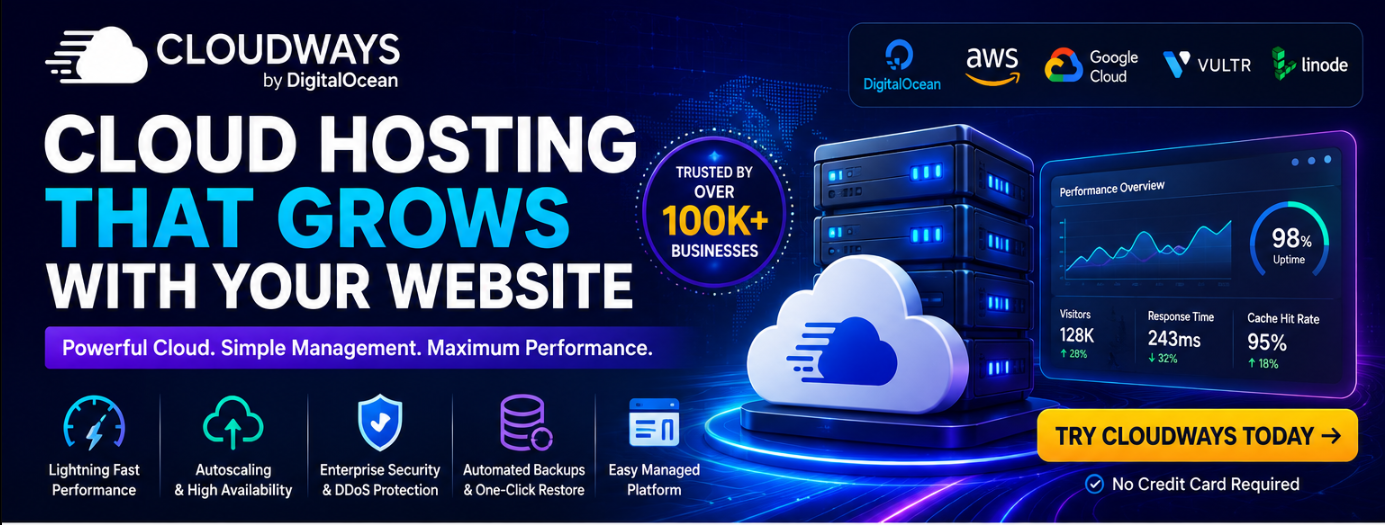
Cloudways is a managed cloud hosting platform that sits between your website and the underlying cloud infrastructure. Its current offerings include Cloudways Flexible, which provides greater control over servers and cloud providers, and Cloudways Autonomous, a hands-off WordPress/WooCommerce platform built around autoscaling and high availability.
In this guide, we'll go beyond the marketing terms and examine what the important Cloudways functions actually do.
1. Managed Cloud Hosting: What Does “Managed” Actually Mean?
Let's start with the foundation.
When you rent raw cloud infrastructure, you are essentially responsible for much of the environment yourself.
You may need to think about:
- Server configuration
- Software updates
- Security
- Performance optimization
- Backups
- Scaling
- Monitoring
- Troubleshooting
That's powerful—but it also requires technical knowledge.
Cloudways adds a management layer on top.
The goal is to let you use cloud infrastructure while reducing the amount of server administration you need to handle yourself.
Cloudways Flexible currently supports applications including WordPress, Magento, Laravel and PHP applications, while giving users control over cloud provider and server resources.
So the concept is essentially:
Cloud infrastructure + management layer + website/application
rather than:
Cloud infrastructure + you doing everything manually.
2. Cloudways Flexible vs Cloudways Autonomous
This is one of the most important distinctions to understand in 2026.
They aren't simply two names for the same product.
Cloudways Flexible
Flexible is aimed at people who want more control.
You can select your cloud provider, server configuration and resources.
It's especially relevant for:
- Developers
- Agencies
- Ecommerce websites
- Affiliate websites
- WordPress sites
- Laravel applications
- Magento stores
- Custom PHP applications
Cloudways describes Flexible as managed hosting where users retain control over their cloud provider and server configuration.
Cloudways Autonomous
Autonomous takes the opposite approach.
Instead of asking you to think about servers and scaling, Cloudways handles much more of the infrastructure automatically.
It is specifically designed for WordPress and WooCommerce and uses Kubernetes-based infrastructure, autoscaling and load balancing.
So a simple way to think about it is:
Flexible → “Give me control.”
Autonomous → “Handle the infrastructure for me.”
That distinction alone can help you determine which Cloudways product is more appropriate for your website.
3. Vertical Scaling: Making One Server More Powerful
Let's say your website has outgrown its current resources.
With traditional vertical scaling, you increase the resources available to the server.
For example:
2 GB RAM → 4 GB RAM
or
2 CPU cores → 4 CPU cores
Cloudways Flexible currently provides vertical scaling as part of its managed hosting functionality.
This is useful when your website's workload is steadily increasing.
However, vertical scaling has a limitation.
You're essentially making one environment bigger.
That's different from autoscaling.
4. Autoscaling: What Happens When Traffic Suddenly Explodes?
This is arguably the most fascinating Cloudways feature for high-traffic websites.
Imagine you normally receive:
5,000 visitors per day.
Then one of your articles suddenly goes viral.
Traffic jumps to:
50,000 visitors.
And then 100,000.
Traditional hosting may force you to manually upgrade resources before the website becomes overloaded.
Cloudways Autonomous approaches the problem differently.
It uses Kubernetes and automatically adds additional application pods when traffic increases. When demand falls, those additional resources can be removed.
In simplified terms:
Normal traffic
→ 1 pod
Traffic increases
→ 2 pods
Traffic explodes
→ more pods
Traffic returns to normal
→ additional pods scale down
This is called horizontal autoscaling.
And it's fundamentally different from simply adding more RAM or CPU to one server.
5. Why Horizontal Scaling Matters
Here's the important distinction.
Vertical scaling
Make one machine stronger.
Horizontal scaling
Add more application instances.
For unpredictable traffic, horizontal scaling can be particularly useful.
Cloudways explains that Autonomous creates additional replicas/pods with their own CPU, RAM and PHP workers as demand increases.
This means you're not simply making one server work harder.
You're distributing the workload.
That can be particularly valuable for:
- Viral content
- Ecommerce promotions
- Product launches
- Seasonal traffic
- Affiliate campaigns
- Paid advertising
- News websites
6. Load Balancing: Distributing Traffic Instead of Overloading One Machine
Autoscaling is only half the story.
Once you have multiple application instances, traffic needs to be distributed between them.
That's where load balancing comes in.
Imagine 10,000 people entering a store.
You don't want everyone using one cashier while the other cashiers stand empty.
A load balancer works conceptually in a similar way.
It distributes incoming requests across available resources.
Cloudways Autonomous combines autoscaling with load balancing to support high availability and large numbers of concurrent visitors.
The practical goal is simple:
Don't let one component become the bottleneck.
7. PHP Workers: The Hidden Bottleneck Many Website Owners Miss
This is one of the more technical—and important—parts of WordPress performance.
A visitor doesn't simply “load a website.”
The server has to process requests.
PHP workers are involved in processing dynamic PHP requests.
If you have too few workers, requests can queue.
That means adding more CPU isn't necessarily enough if PHP processing capacity becomes the bottleneck.
Cloudways Autonomous currently advertises unlimited PHP workers, while its autoscaling architecture can add additional pods with their own resources and workers.
This is particularly relevant for:
- WooCommerce
- Membership websites
- Dynamic WordPress websites
- High-concurrency applications
- Websites receiving many simultaneous requests
8. Cloudflare Enterprise: More Than Just a CDN
Cloudways Autonomous integrates Cloudflare Enterprise directly into the hosting architecture.
This can provide several layers of functionality:
- CDN
- Edge caching
- Web security
- DDoS mitigation
- Web Application Firewall capabilities
Cloudways says its Autonomous offering integrates Cloudflare Enterprise for global edge caching and CDN delivery, while Cloudflare's security layer helps filter malicious traffic.
Why does this matter?
Because your website doesn't have to serve every visitor from the same origin infrastructure.
A visitor in Europe and a visitor in Asia can potentially receive cached content closer to their geographical location.
That can reduce latency.
9. Caching: Why Your Website Doesn't Need to Rebuild Every Page Every Time
Caching is one of the most important concepts in website performance.
Imagine someone requests a page.
Without effective caching, the system may have to repeatedly:
Request → PHP → Database → Generate page → Send response
Now imagine 10,000 people asking for the same content.
That's a lot of repeated work.
Caching allows frequently requested content to be stored temporarily so it can be served faster.
Cloudways uses several caching technologies across its offerings.
Flexible currently includes Redis Cache and Object Cache Pro, while Autonomous integrates Redis and Object Cache Pro + Relay.
10. Object Cache Pro: Making WordPress Database Operations Faster
This is particularly relevant for WordPress.
A WordPress website can make many database queries while generating a page.
Object caching stores frequently accessed database results in memory so they can be retrieved more quickly.
Instead of repeatedly asking:
“Database, can you find this information again?”
the application can retrieve frequently used information from cache.
Cloudways specifically highlights Object Cache Pro for improving WordPress performance, including faster checkout/cart experiences and a more responsive WordPress administration area.
That can be particularly valuable for WooCommerce.
11. Redis Cache: Another Layer of Speed
Redis is an in-memory data structure store commonly used for caching.
The idea is simple:
Memory is much faster than repeatedly retrieving information from slower storage.
Cloudways Flexible currently includes Redis Cache as one of its performance tools.
When combined with other caching layers, Redis can help reduce unnecessary database and application work.
12. Lightning Stack: Optimizing the Web Server Layer
Cloudways Flexible currently promotes its Lightning Stack, an NGINX-based stack designed to improve request handling, page loading and caching.
This matters because website speed isn't controlled by one setting.
Performance is more like a chain:
Browser
↓
CDN
↓
Web server
↓
PHP
↓
Application
↓
Database
↓
Cache
If one part is slow, the entire experience can suffer.
The Lightning Stack is designed to optimize several pieces closer to the server/application layer.
13. Automated Backups: Your Safety Net
Here's a feature that nobody appreciates until they desperately need it.
Backups.
A website can break because of:
- Plugin conflicts
- Theme changes
- Human error
- Security incidents
- Database problems
- Failed updates
Cloudways offers automated backups, and its current Autonomous offering includes automated backups and restore functionality.
The key benefit isn't merely “having backups.”
It's being able to restore your website after something goes wrong.
That's a completely different level of peace of mind.
14. Staging: Test Changes Without Gambling With Your Live Website
Staging creates a separate environment where you can test changes.
For example:
You want to install a new WordPress plugin.
Instead of:
Install → Break website → Panic
you can:
Clone → Test → Verify → Push changes live
Cloudways currently includes advanced staging and cloning functionality, with one-click push/pull capabilities on its offerings.
For agencies and developers, this can save a huge amount of time.
15. Free Managed Migration
Switching hosting providers can be intimidating.
A website isn't simply one folder.
It can include:
- Files
- Database
- DNS
- SSL
- Configuration
- Plugins
- Themes
- Cron jobs
- Email considerations
Cloudways currently provides managed migration, including a free migration option on its current offerings.
This reduces one of the biggest barriers to changing hosting providers.
16. Built-In Firewall and IP Blocking
Website security isn't simply about installing an SSL certificate.
Cloudways Flexible currently includes a built-in firewall with IP blocking, while Autonomous includes firewall and DDoS protection capabilities.
This gives website owners another layer between the public internet and their application.
For websites receiving significant traffic, security shouldn't be treated as an optional extra.
17. WordPress Vulnerability Scanner
Cloudways Flexible currently also promotes a WordPress Vulnerability Scanner.
This is useful because WordPress security isn't only about your hosting server.
The application itself can contain vulnerabilities.
Plugins and themes can become outdated.
A vulnerability scanner can help identify potential problems earlier.
It's not a replacement for good security practices, but it adds another layer of visibility.
18. Multiple PHP Versions
Different websites don't always run on the same PHP version.
One application may require one version.
Another may need something different.
Cloudways provides the ability to use different PHP versions for applications, with current Autonomous documentation listing support for PHP 8.2–8.4.
This can be particularly useful if you manage multiple websites with different technical requirements.
19. Cloudways Copilot: AI-Assisted Server Monitoring
One of the newer developments is Cloudways Copilot.
Cloudways describes Copilot as an AI assistant that monitors servers and applications, detects critical issues and can provide actionable resolution steps through SmartFix.
This is an interesting direction for managed hosting.
Instead of waiting for a human to notice every problem manually, AI can help surface potential issues and guide troubleshooting.
For someone managing multiple websites, that could become particularly useful.
20. 24/7 Support
Technical problems don't necessarily happen during office hours.
A website can go down at:
9 AM
3 PM
or
2:17 AM
Cloudways currently advertises 24/7 support through chat, email and ticketing on its offerings.
For a website that generates revenue, support availability can be worth more than a small difference in monthly hosting cost.
21. What Happens During a Traffic Spike?
Let's put everything together.
Imagine you run an affiliate website.
You publish a new article.
Google starts ranking it.
Traffic increases rapidly.
Here's what the infrastructure can conceptually do:
Step 1 — Visitors arrive
Cloudflare's edge infrastructure can help deliver cached content closer to users.
Step 2 — Requests reach your application
Caching reduces unnecessary repeated processing.
Step 3 — Traffic increases
Autonomous detects increased demand.
Step 4 — Additional pods are created
Kubernetes-based autoscaling adds resources as required.
Step 5 — Load balancing distributes requests
Traffic is spread across available application resources.
Step 6 — Traffic falls
Additional pods can scale back down.
The important part is that you don't necessarily have to sit in front of your dashboard manually upgrading servers during the spike.
That's the core value proposition of managed autoscaling.
Cloudways Functions at a Glance
| Function | What it actually does |
|---|---|
| Managed Hosting | Reduces server-management workload |
| Vertical Scaling | Gives a server more resources |
| Autoscaling | Adds/removes resources based on demand |
| Load Balancing | Distributes traffic across resources |
| Cloudflare Enterprise | CDN, edge caching and security |
| Redis | Speeds up frequently accessed data |
| Object Cache Pro | Reduces repeated database/application work |
| Lightning Stack | Optimizes web-server/request handling |
| Backups | Protects against data loss |
| Staging | Lets you test changes safely |
| Migration | Helps move an existing website |
| Firewall | Filters/block unwanted traffic |
| DDoS Protection | Helps mitigate denial-of-service attacks |
| PHP Versions | Supports different application requirements |
| Vulnerability Scanner | Helps identify WordPress security risks |
| Copilot | AI-assisted monitoring and troubleshooting |
| 24/7 Support | Assistance when technical issues occur |
Cloudways Flexible or Autonomous: Which Makes More Sense?
Here's the practical decision.
Choose Flexible if you want:
- Greater infrastructure control
- Multiple application types
- Choice of cloud provider
- Server-level configuration
- Vertical scaling
- WordPress + Laravel + Magento + PHP
- More technical flexibility
Consider Autonomous if you want:
- WordPress/WooCommerce
- Hands-off hosting
- Automatic scaling
- High availability
- Load balancing
- Cloudflare Enterprise integration
- Minimal server management
Cloudways itself describes Flexible as the option for users who want managed hosting with control over cloud providers and servers, while Autonomous is designed as the more hands-off, autoscaling solution for WordPress.
Who Benefits Most From These Features?
Not every website needs all of this.
A personal blog receiving 500 visits a month probably doesn't need Kubernetes autoscaling.
But consider:
Affiliate websites
Traffic can increase unexpectedly through SEO or paid advertising.
Ecommerce
Traffic spikes can happen during promotions and seasonal sales.
Publishers
A single viral article can dramatically change traffic.
Agencies
Multiple websites mean more infrastructure to monitor.
WooCommerce stores
Database performance, PHP workers and uptime become especially important.
High-growth businesses
The cost of downtime becomes much greater as the website becomes more valuable.
That's when advanced hosting features stop being “nice extras.”
They become business infrastructure.
The Bigger Picture: Cloudways Is Really Selling Time
This is the part I think is easiest to overlook.
Cloudways isn't simply selling:
RAM
CPU
Storage
or
Bandwidth.
It's also selling time.
Time you don't have to spend:
- Configuring servers
- Monitoring infrastructure
- Troubleshooting every problem
- Manually scaling during traffic spikes
- Building your own caching architecture
- Managing migration
- Figuring out how to recover from failures
For an individual website owner, that time can be spent creating content.
For an affiliate marketer, it can be spent optimizing campaigns.
For an ecommerce owner, it can be spent growing sales.
For an agency, it can be spent managing clients.
That's where the value of managed cloud hosting becomes much easier to understand.
Final Verdict
Cloudways is much more than “WordPress hosting.”
Its real value comes from the architecture and management functions behind the website.
Cloudways Flexible provides control over cloud infrastructure, server resources and applications.
Cloudways Autonomous goes further by using Kubernetes-based autoscaling, load balancing, high availability, Cloudflare Enterprise, caching and automated infrastructure management for WordPress and WooCommerce.
For a small website, these capabilities may be unnecessary.
But for a website that is becoming a real business, they can make a substantial difference.
The key question isn't:
“Do I need all these hosting features?”
It's:
“How much would slow performance, downtime, manual maintenance and an inability to handle traffic growth cost my business?”
Once you ask that question, managed cloud hosting starts to look very different.
🚀 Ready to Explore Cloudways?
If you're looking for a hosting platform that can grow alongside your website rather than forcing you to constantly rethink your infrastructure, Cloudways is worth exploring.
Explore Cloudways: https://www.cloudways.com/en/?id=2189701