PHOTOGRAPHY & CREATIVE TOOLS · 4 MIN READ
Arams Tutorial #1: Projects, Photo Import and Folder Navigation
Jun 08, 2026 · 3.8K views
Arams Tutorial #1 Review: How to Organize Thousands of Photos Before You Start Editing
Every photographer knows the feeling.
You come home after a wedding.
Three memory cards.
Five thousand photos.
Multiple cameras.
Several photographers.
And before you can even start editing, you have to find a way to organize everything.
For many photographers, this stage is actually more frustrating than editing itself.
Hours disappear while importing photos, sorting folders, creating backups, and trying to keep projects organized.
This is exactly the problem Retouch4me's Arams platform aims to solve.
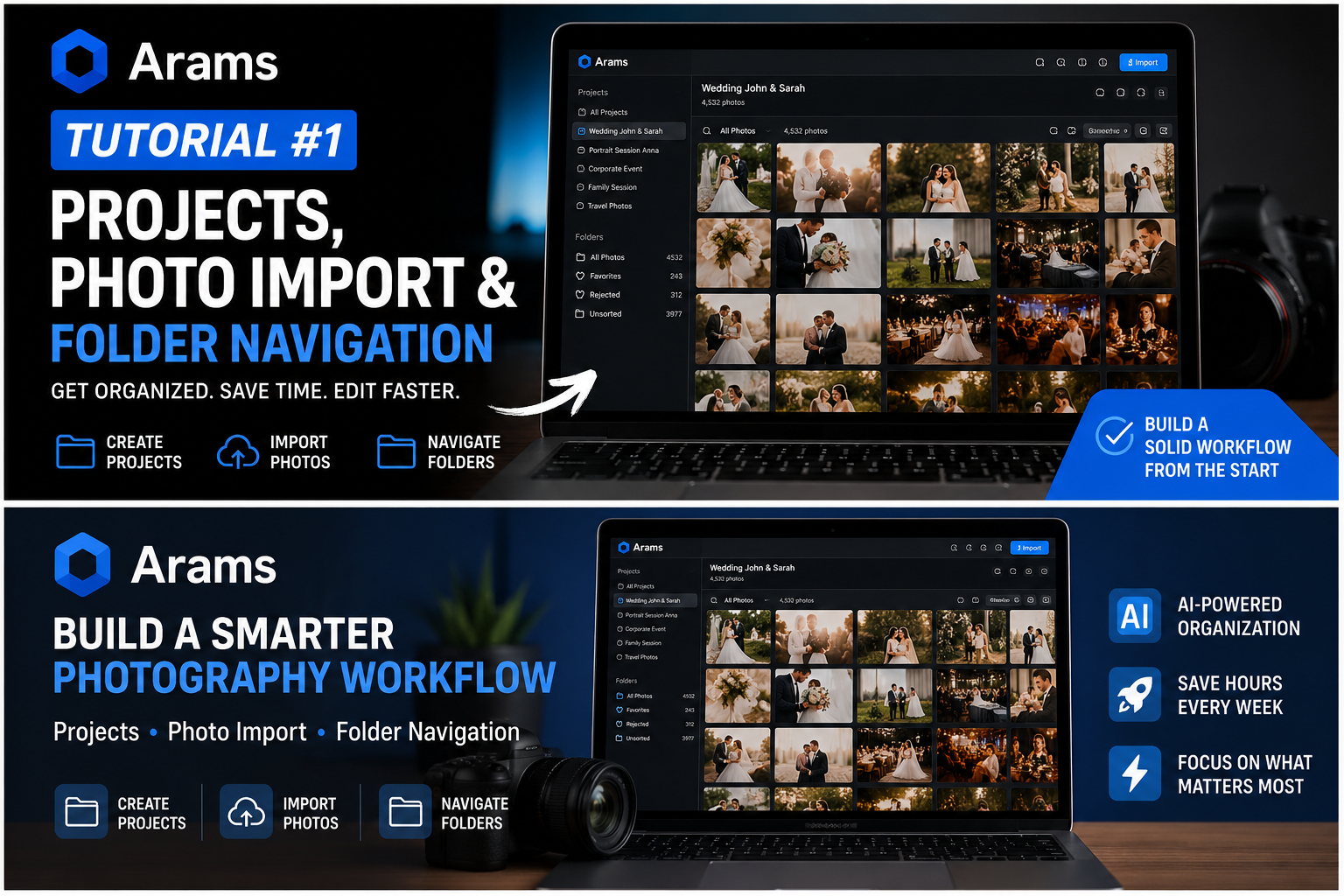
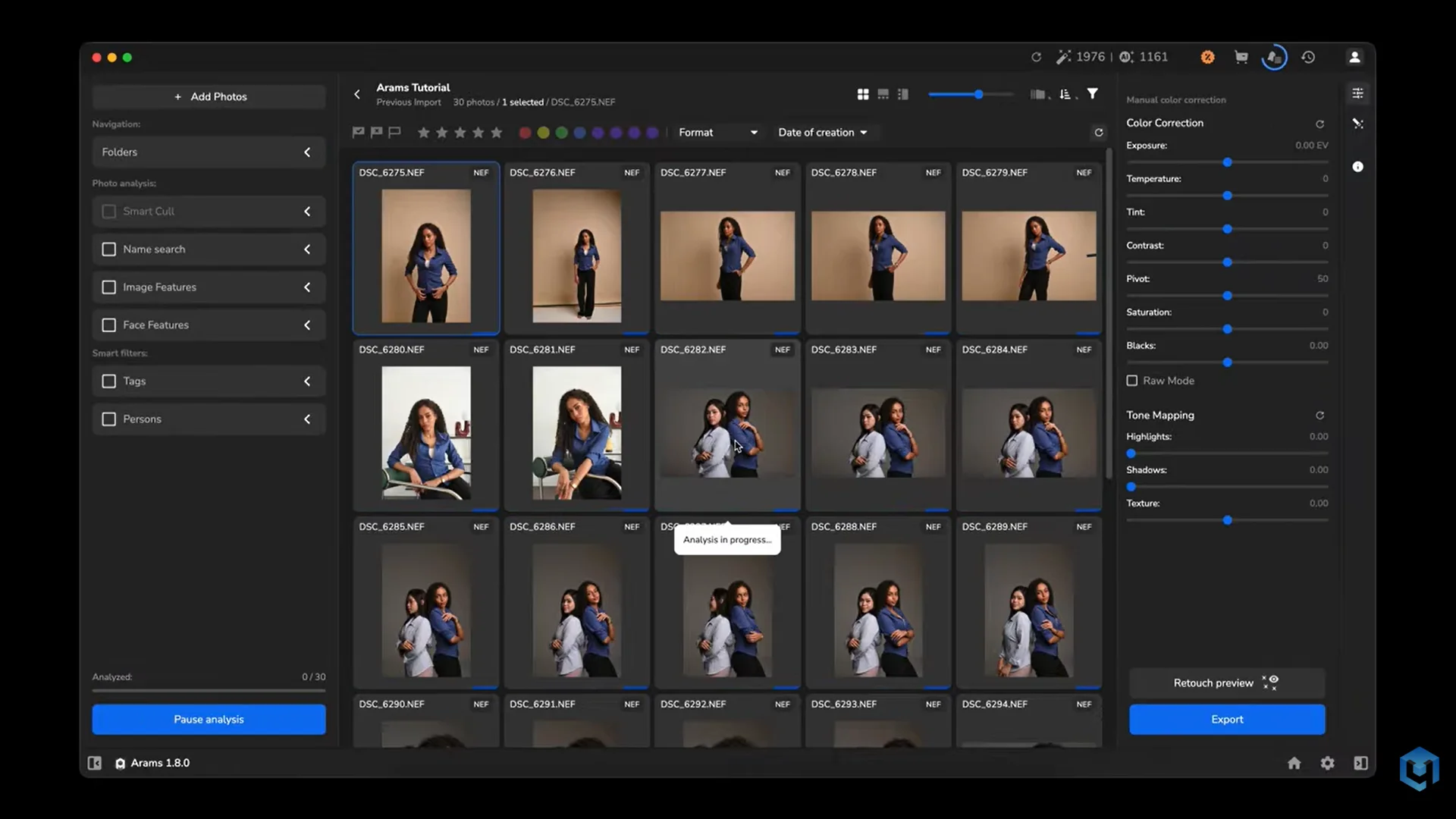
In the first official Arams tutorial, the Retouch4me team walks through the foundations of an efficient workflow: creating projects, importing photos, and navigating folders. While these topics may sound basic, they are the building blocks of a scalable photography business.
Before diving into Arams, many photographers first check the latest Retouch4me discounts and special offers to save money on the growing AI-powered workflow ecosystem.
What Is Arams?
Arams is an AI-powered photo management platform created by Retouch4me.
Unlike traditional image browsers, Arams is designed specifically for photographers who work with large image libraries.
The goal is simple:
Spend less time managing files and more time editing and delivering photos.
Photographers interested in testing the software can explore the official Arams AI photo management platform with the SAVE10 discount code.
Why Project Organization Matters
One of the first lessons in Tutorial #1 is the importance of project-based organization.
Many photographers still store images in a collection of folders that gradually become harder to manage.
For example:
-
Wedding Smith
-
Wedding Smith Final
-
Wedding Smith Edited
-
Wedding Smith Backup
-
Wedding Smith Export
Six months later, finding the correct folder becomes difficult.
Arams approaches the problem differently.
Instead of treating folders as isolated locations, the software organizes work through Projects.
Each project becomes a dedicated workspace containing everything related to a specific client or shoot.
According to the tutorial, this creates a cleaner and more structured workflow for photographers managing multiple jobs simultaneously.
Creating Your First Project
The tutorial begins with project creation.
This may sound simple, but it establishes the foundation for everything that follows.
Within Arams, photographers can:
-
Create dedicated projects
-
Name projects logically
-
Separate clients efficiently
-
Build searchable photo libraries
For photographers handling hundreds of sessions every year, proper project management becomes essential.
Importing Photos Into Arams
The next step is photo import.
This is where many traditional workflows become slow.
Photographers often spend valuable time:
-
Browsing drives
-
Searching folders
-
Checking file locations
-
Verifying imports
Arams simplifies this process by centralizing image management inside the project environment.
The tutorial demonstrates how images can be imported directly into projects, preparing them for future AI-assisted analysis and organization.
If you're considering implementing a modern workflow, you can review the official Arams project management and photo import tools.
Folder Navigation Without The Headaches
One of the most useful sections of Tutorial #1 focuses on folder navigation.
This may not sound exciting.
Until you're searching for a specific image among thousands of files.
Most photographers have experienced situations where they know:
-
The client name
-
The shoot date
-
The location
Yet finding the actual file still takes several minutes.
Arams is designed to reduce this friction through structured project navigation and organized folder management.
The result is less time searching and more time working.
Why Wedding Photographers Will Appreciate Arams
Wedding photographers often deal with:
-
3,000 photos
-
5,000 photos
-
10,000+ photos
Every wedding generates huge amounts of data.
Before any retouching begins, those files must be:
-
Imported
-
Organized
-
Reviewed
-
Selected
Tutorial #1 focuses on making these early workflow stages more efficient.
Many photographers later combine Arams with Retouch4me Cloud Retouch solutions to build a complete AI-powered production pipeline.
Building A Scalable Photography Workflow
One of the biggest lessons from the tutorial is that efficiency starts long before editing.
Photographers often focus on:
-
Lightroom presets
-
Photoshop actions
-
AI retouching tools
But organization is equally important.
Without a structured workflow:
-
Projects become confusing
-
Files get misplaced
-
Delivery times increase
-
Productivity decreases
Arams helps establish a stronger foundation before editing even begins.
Who Should Use Arams?
Arams is especially valuable for:
Wedding Photographers
Manage large galleries more efficiently.
Portrait Photographers
Organize client sessions with less effort.
Studio Teams
Create standardized workflows across multiple editors.
Event Photographers
Handle high-volume image collections more effectively.
Growing Photography Businesses
Scale operations without creating organizational chaos.
Final Thoughts
Arams Tutorial #1 may focus on seemingly simple topics such as projects, imports, and folder navigation, but these are the systems that determine how efficient a photography workflow becomes.
By organizing projects properly from the beginning, photographers can spend less time searching for files and more time delivering finished work to clients.
If you're interested in modernizing your workflow, explore the official Arams AI workflow platform and SAVE10 offer.
And before purchasing any Retouch4me products, don't forget to review the latest Retouch4me coupons, discounts, and exclusive deals for additional savings.