PHOTOGRAPHY & CREATIVE TOOLS · 4 MIN READ
🚀 How to Install Retouch4me Panel for Free on Windows & Mac (Step-by-Step Beginner Guide 2026)
Jun 01, 2026 · 9.7K views
If you're a photographer, retoucher, or Photoshop user who spends hours editing portraits, skin imperfections, and beauty images, you've probably heard about Retouch4me.
Over the last few years, Retouch4me has become one of the most popular AI-powered retouching solutions for photographers because it can automate tedious editing tasks while preserving natural skin texture and professional-quality results.
The best part?
You can install the Retouch4me Photoshop Panel completely free and receive free retouching credits to test the system before purchasing any plugins or subscriptions.
👉 Before getting started, download the official Retouch4me Photoshop Panel.
If you're planning to upgrade later, don't forget to check the latest Retouch4me coupon codes and deals before subscribing.
✨ What Is Retouch4me Panel?
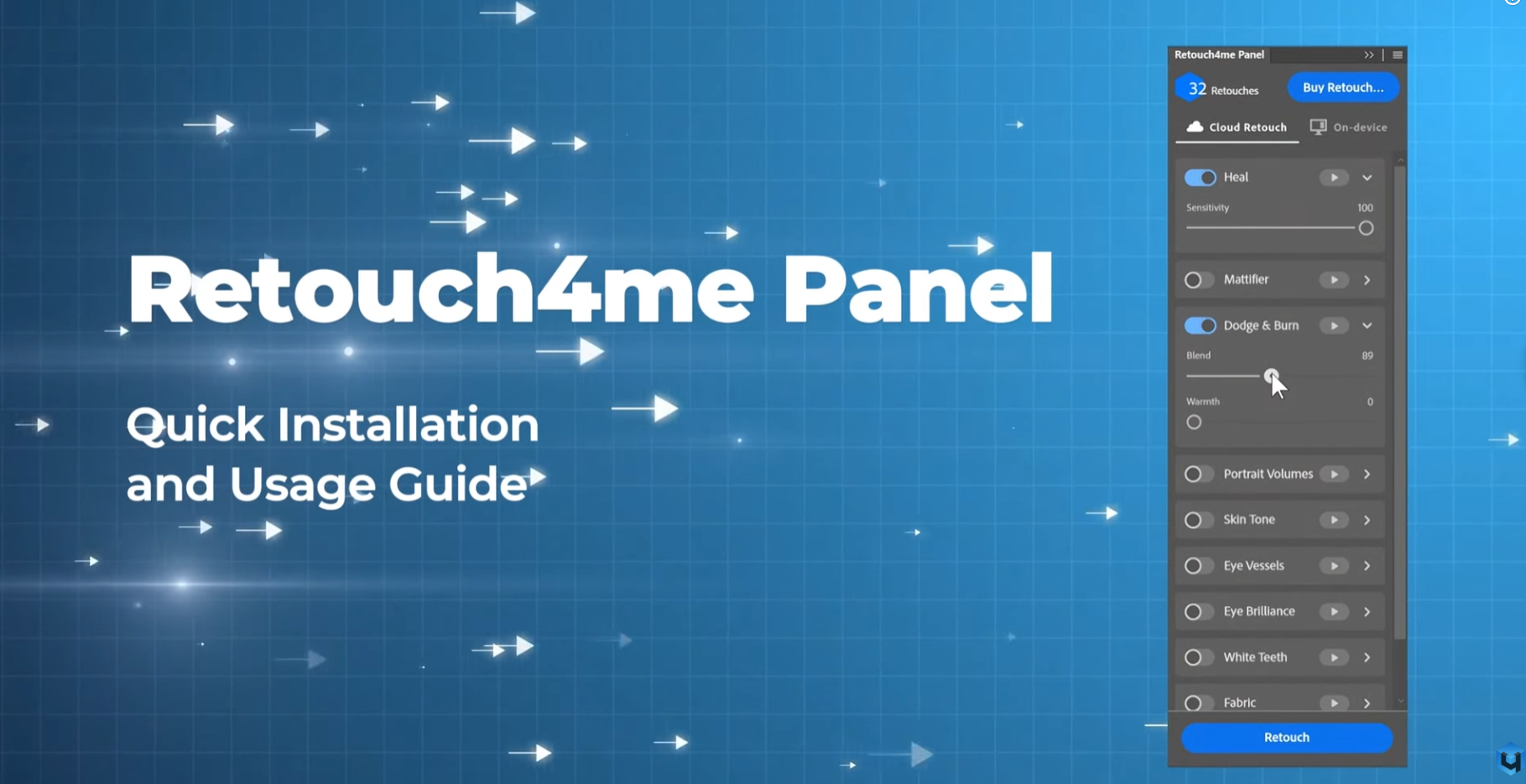
Retouch4me Panel is an all-in-one Photoshop extension that gives photographers access to multiple AI retouching tools directly inside Photoshop.
Instead of opening separate plugins one by one, everything is organized in a single panel, making your workflow faster, cleaner, and more efficient.
With Retouch4me Panel, you can:
✅ Retouch portraits faster
✅ Remove blemishes automatically
✅ Smooth skin naturally
✅ Enhance eyes and teeth
✅ Clean studio backdrops
✅ Use cloud-based retouching
✅ Access purchased plugins from one place
For photographers handling dozens or even hundreds of images every week, this can save an enormous amount of editing time.
🎁 Free Credits for New Users
One of the biggest advantages of installing Retouch4me Panel is the free trial credits.
New users receive 20 free cloud retouching credits after creating an account and logging into the panel.
This allows you to test the AI retouching workflow on real projects before spending any money.
For many photographers, those first 20 retouches are enough to see exactly how much time the software can save.
💻 Step 1: Download Retouch4me Panel
Getting started is easy.
Simply download the official panel from:
👉 Download Retouch4me Panel for Photoshop
Once downloaded, you'll receive the installation file required for Photoshop integration.
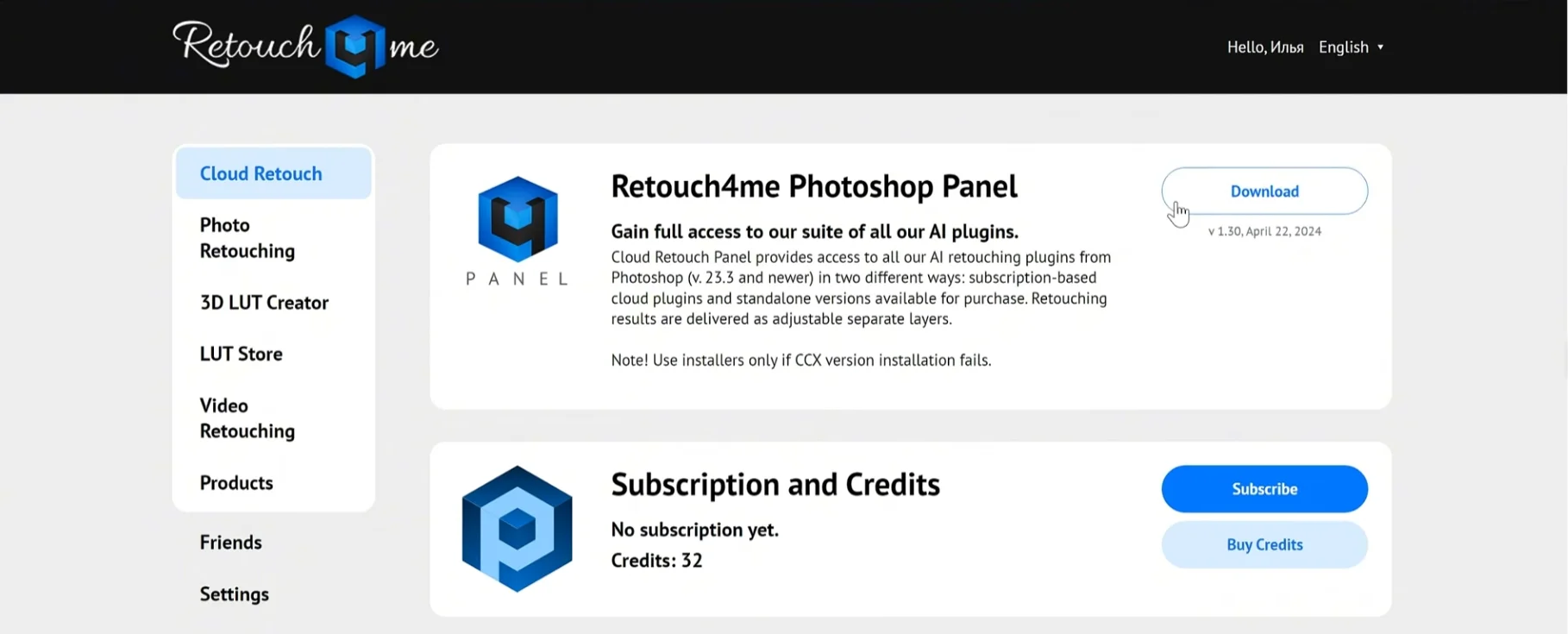
⚡ Step 2: Install Using the CCX File
This is the fastest installation method recommended by Retouch4me.
Simply:
- Locate the downloaded CCX file
- Double-click the file
- Adobe Creative Cloud will launch automatically
- Confirm installation
The panel should be installed within seconds.
For most users, no additional setup is required.
🛒 Alternative Installation via Adobe Exchange
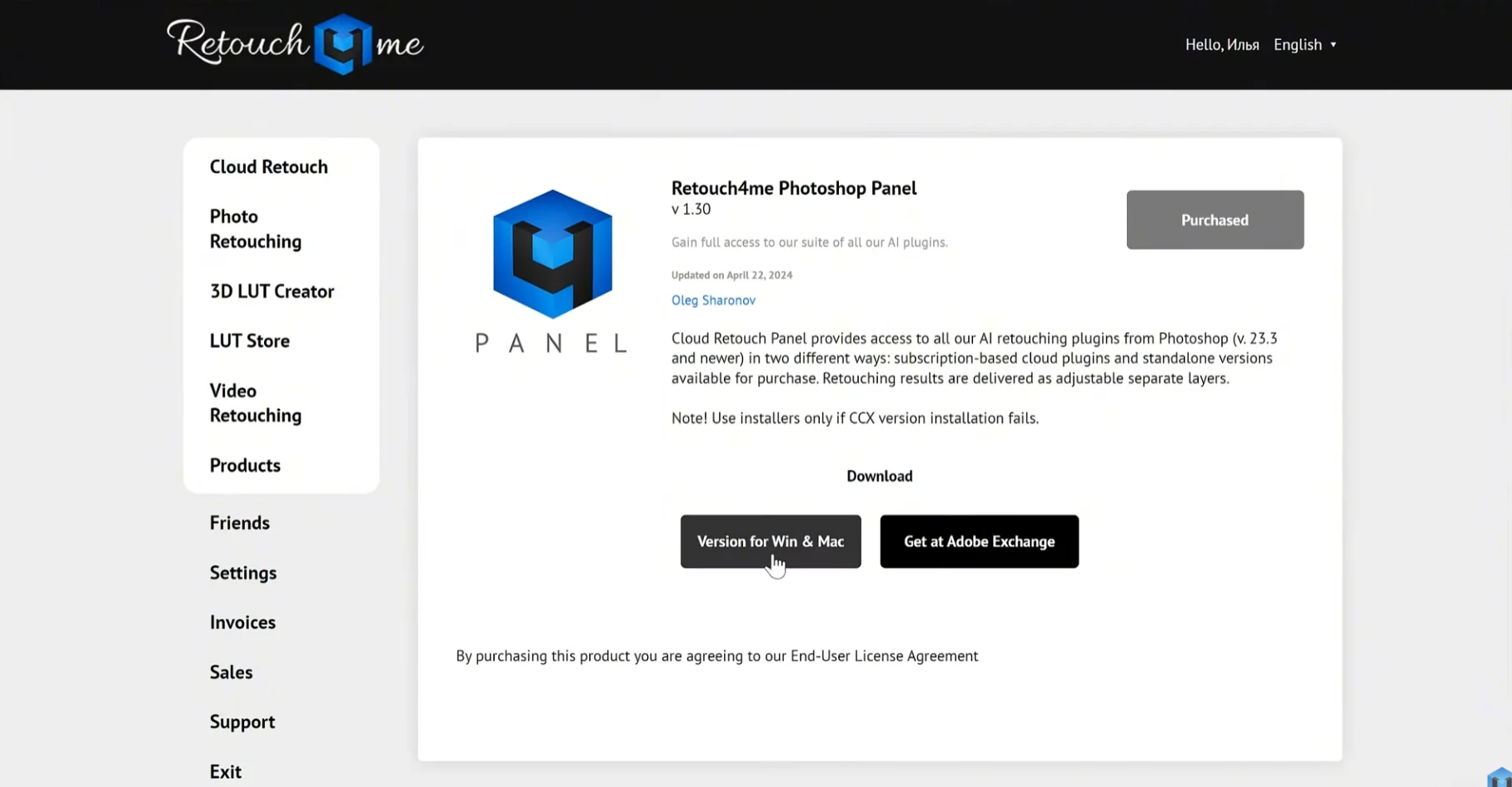
If the CCX installation doesn't work, there's another option.
Open Adobe Exchange Marketplace and search for:
Retouch4me Panel
Install it directly through your Adobe account.
This method is especially useful when Adobe Creative Cloud blocks manual extension installation.
🔧 Manual Installation (If Needed)
Occasionally, Photoshop extensions may fail to install because of Creative Cloud permissions or system restrictions.
In that case, you can install the panel manually.
Windows
Extract the downloaded package and copy the plugin folder into:
%APPDATA%\Adobe\UXP\Plugins\External\
or
C:\Program Files\Adobe\Adobe Photoshop\Plug-ins\
Mac
Copy the extracted folder into:
/Users/username/Library/Application Support/Adobe/UXP/Plugins/External
A helpful tip from the official guide is to rename the CCX file to ZIP before extracting it manually.
🔓 Step 3: Open Photoshop and Sign In
After installation:
Open Photoshop
Navigate to:
Plugins → Retouch4me Panel
The panel should now appear inside Photoshop.
Login using your Retouch4me account credentials.
Once signed in, your free credits should automatically appear and be ready to use.
☁️ Cloud Retouch vs On-Device Retouch
One feature photographers love about Retouch4me is the flexibility.
You can choose between two workflows.
Cloud Retouch
Perfect for beginners and users who don't own plugins.
Benefits include:
✅ No powerful computer required
✅ Instant access to AI tools
✅ Uses free credits or subscriptions
✅ Easy to get started
On-Device Retouch
Ideal for professionals who purchase plugins.
Benefits include:
✅ Unlimited usage
✅ No per-image fees
✅ Full privacy
✅ Offline processing
Choose whichever workflow best fits your editing style and budget.
🚀 Popular Retouch4me Tools Worth Exploring
Many photographers install the panel for one plugin and eventually end up using several.
Some of the most popular Retouch4me tools include:
⭐ Heal
Automatically removes blemishes, acne, and skin imperfections.
⭐ Dodge & Burn
Creates smooth, natural-looking skin while preserving texture.
⭐ Portrait Volumes
Adds depth and dimension to portraits.
⭐ Eye Brilliance
Enhances eye brightness and color.
⭐ White Teeth
Automatically whitens teeth.
⭐ Fabric
Removes wrinkles from clothing.
⭐ Clean Backdrop
Cleans studio backgrounds with a single click.
These tools are especially popular among portrait, wedding, beauty, and fashion photographers.
💡 Why Photographers Love Retouch4me
Traditional retouching can take hours.
Retouch4me uses AI to automate repetitive editing tasks while maintaining realistic and professional-looking results.
Many photographers use it for:
📸 Portrait Photography
📸 Wedding Photography
📸 Beauty Retouching
📸 Fashion Photography
📸 Commercial Photography
📸 High-Volume Client Work
One of the biggest advantages is that Retouch4me preserves natural skin texture instead of producing the overly smooth "plastic skin" effect common in many automated retouching tools.
🎯 Save Money Before You Subscribe
If you're planning to continue using Retouch4me after your free credits run out, it's worth checking for active promotions first.
👉 Browse the latest Retouch4me coupons, discounts, and exclusive deals
Once you've found the best offer, you can proceed directly to the official panel page:
👉 Download & Subscribe to Retouch4me Panel
A quick check for discounts could save you money on subscriptions, plugin purchases, or cloud retouching plans.
⭐ Final Thoughts
Retouch4me Panel is one of the easiest ways to bring AI-powered retouching directly into Photoshop.
Installation takes only a few minutes, new users receive free credits, and both Windows and Mac are fully supported.
Whether you're a beginner photographer looking to speed up your workflow or a professional retoucher handling hundreds of images every week, Retouch4me offers a powerful combination of automation and quality.
🚀 Download the free panel, claim your free credits, and discover why thousands of photographers are making Retouch4me part of their daily editing workflow.