TECH & GADGETS · 4 MIN READ
XVX Keyboard Review: Is an Affordable Mechanical Keyboard Worth the Upgrade?
Nov 02, 2026 · 0 views
In this article
A keyboard is used for hours every day, yet many people still type on whatever came with the computer. Upgrading can make typing and gaming feel more comfortable, but the mechanical keyboard world is full of layouts, switches and connection modes that make a simple purchase surprisingly confusing. XVX is interesting because it offers enthusiast-style features at relatively modest prices.
I would start with where the keyboard will sit and what you will use it for. A mechanical keyboard earns its price when it makes daily typing or gaming more pleasant and lasts. A good discount does little for the budget if the layout leaves out keys you rely on or the import costs and returns process outweigh the saving.
Choose the layout first
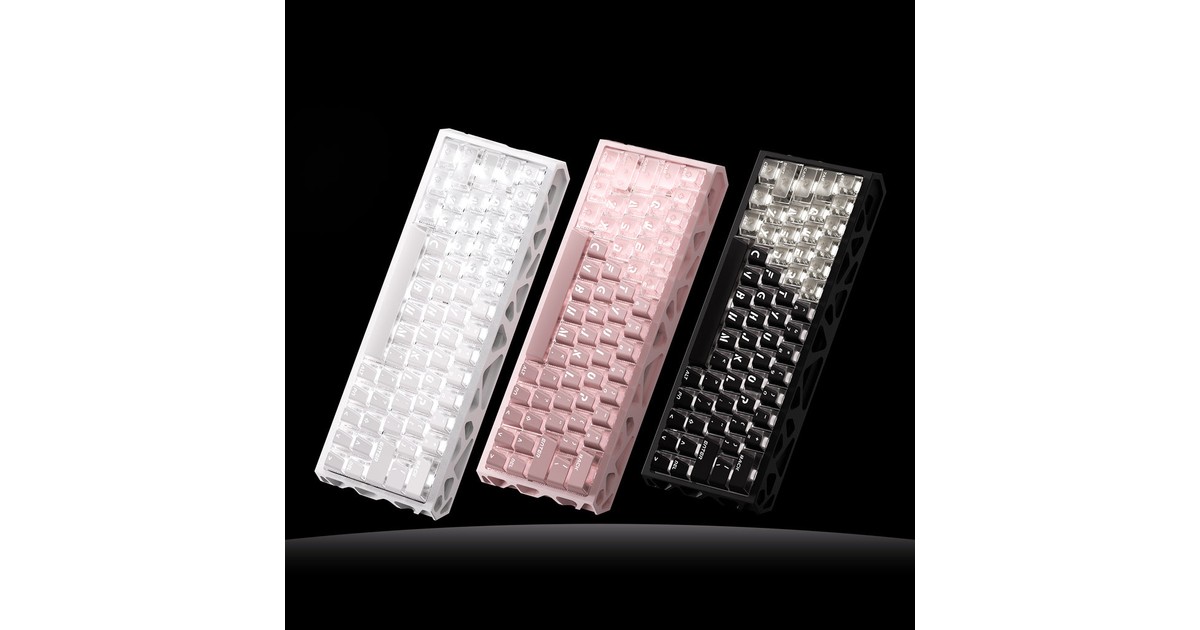
XVX sells several layouts. The M67 JadeStone is a 65% board with 67 keys; the M75 Lumina is a 75% layout with a knob; the M98 Lumina uses a 96% or 1800-style layout that keeps a number pad in a compact footprint. Listed prices included $69.99 for the M67, $59.99 for the M75 and from $74.99 for the M98, with a wooden MU68 at $119.99 and a 16-key macro pad among other options.
If you use a number pad for spreadsheets, a 65% board may frustrate you. If desk space and mouse room matter more, a smaller layout may be exactly right. Count the keys you use daily before being drawn in by the look of a compact board.
What the specifications tell you
The M67 product page lists gasket mounting, PBT keycaps, hot-swappable switches, VIA support and tri-mode connectivity over wired, Bluetooth 5.0 and 2.4GHz. It uses XVX ICE Pro linear switches with a 45±5gf operating force and 3.4±0.4mm total travel, a 4,000 mAh battery and a weight of 595g. The larger M75 and M98 are listed with 8,000 mAh batteries.
Hot-swappable switches matter if you might try different switch feel later without soldering. VIA support means key remapping in a web driver without additional software. Linear switches suit people who prefer smooth keystrokes; if you like tactile feedback, check the switch options before buying.
Compatibility and setup
The FAQ says the M67 supports PS5 in 2.4GHz and wired mode, and that wired PS5 use requires a key combination to set six-key rollover. Switching between Windows and Mac layouts in wireless mode uses a held key combination, while wired mode uses a toggle on the case.
These details are worth reading before purchase if you plan to share the keyboard between a work laptop, a Mac and a console. A tri-mode keyboard is only convenient if switching between devices fits how you work.
Shipping, returns and warranty
Orders are processed in one to two business days and delivery is estimated at around eight to fifteen business days, using carriers such as Yun Express and Yanwen. Some countries require a tax or ID number for customs. Returns for personal reasons are accepted within seven days if unused and in original packaging, with return shipping paid by the buyer and the refund reduced by original shipping, a 4% processing fee and any duties.
The warranty page lists a one-year warranty from the order date, excluding customer-induced damage, with a PCB replacement or capped partial refund for later claims. The M67 page separately mentions replacement or refund within 30 days of delivery, so keep evidence of any fault and contact support quickly. Given the short personal-return window, research carefully before ordering.
Compare the cost per working day
Add the keyboard, any shipping and import charges and extra switches or keycaps you might want. Then compare that with a comparable keyboard from a local retailer with simpler returns. A lower price is attractive, but a longer delivery and stricter return conditions are part of the trade.
For illustration, a $69.99 keyboard used on 230 working days a year costs about 30 cents per day in its first year. Used occasionally, the same board is far more expensive per use. That is a budgeting example, not a durability claim.
My verdict
XVX looks well suited to buyers who want gasket mounting, hot-swappable switches and wireless flexibility without paying premium enthusiast prices. The detailed switch and battery specifications make it easier to compare models. I have not typed on these keyboards, so sound, feel and build quality remain untested here.
I would choose the layout around the keys you use, confirm device compatibility and accept that returns are tighter than at many local retailers. The price earns its place when typing becomes more comfortable every day. Knowing what you want before ordering is the real saving.
Current coupons and offers
Compare the available offers below against the complete checkout total. Choose a coupon that applies to what you actually need, and check its conditions before paying.
Offers and coupon eligibility depend on the store and the time of purchase. For the latest options, visit the XVX Keyboard offers page on Dealnory.
Sources and disclosure: XVX homepage, FAQ, M67 JadeStone product page and refund policy, checked 1 November 2026. This is an editorial assessment of published information, not a hands-on test. Dealnory may earn a commission on qualifying purchases. The cover is an editorial illustration.